From reporting to seeing
Status comes from the work in the room. Teams share changes and blockers without preparing another status readout.
Roomcord | AI decision engine
Roomcord brings team conversations, meetings and AI teammates into shared project rooms. We’re building its decision engine to surface decisions, owners, deadlines and blockers, with people confirming commitments.

Product screenshot
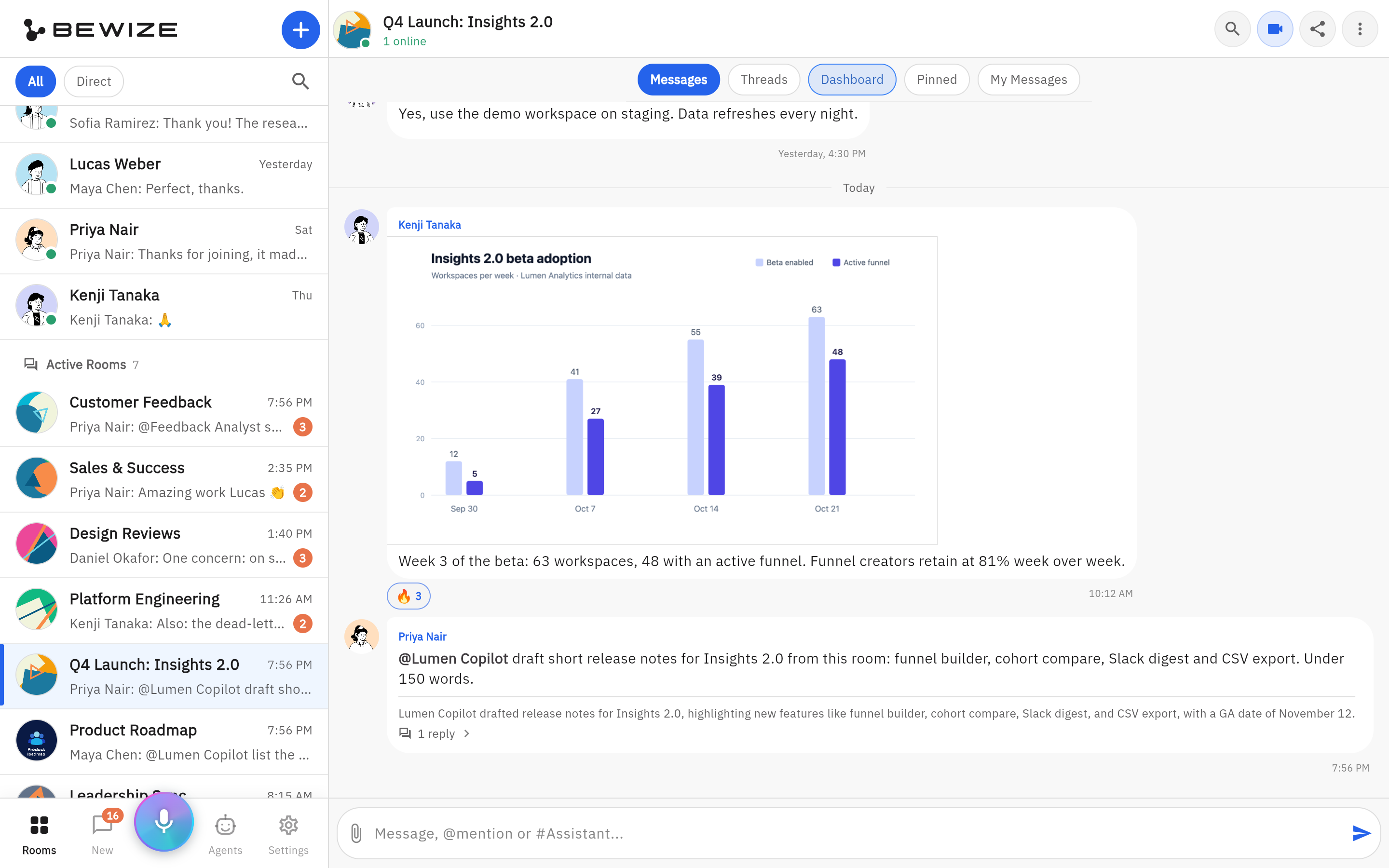
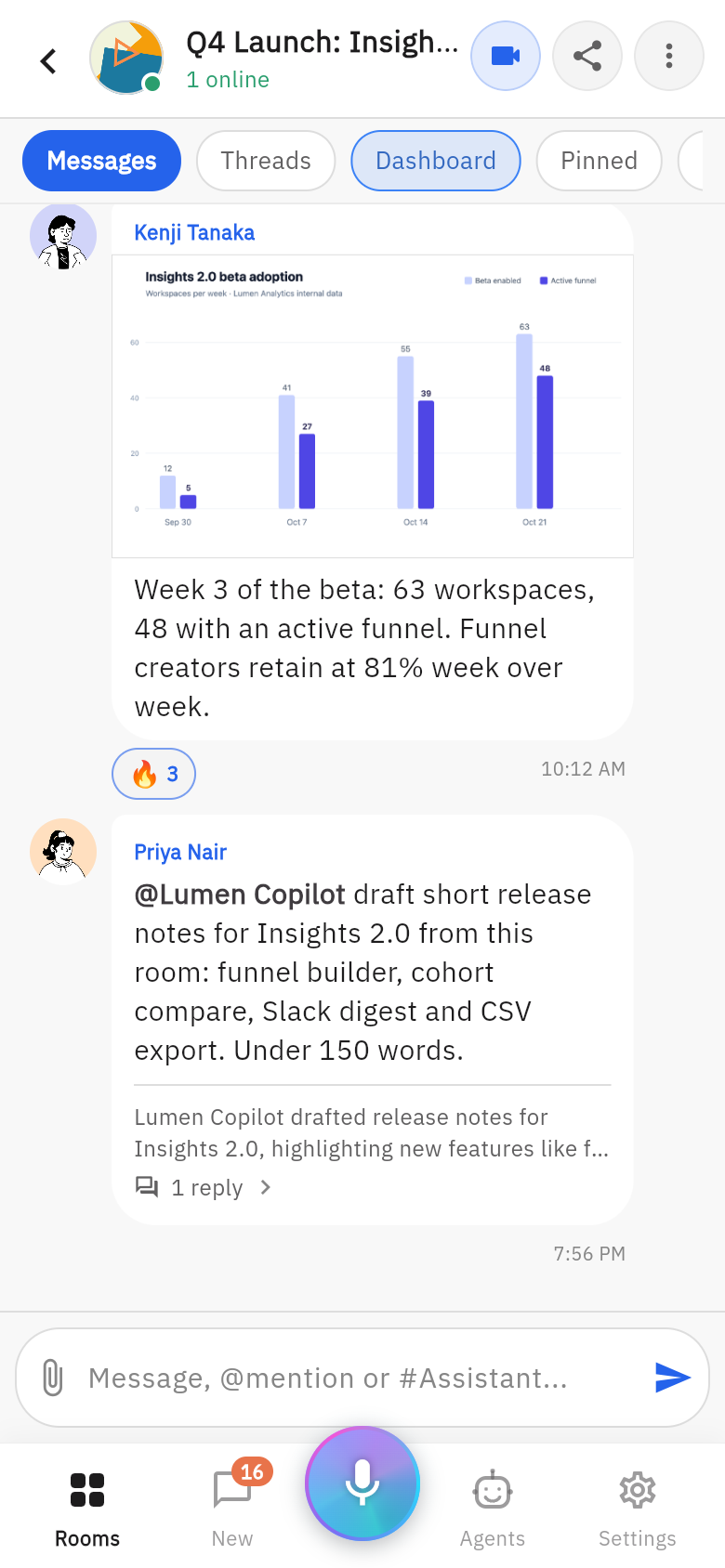
A shared chart, a teammate’s request and an AI reply thread sit in the same project conversation.
Roomcord is an AI decision engine for project teams. It brings people, conversations, meetings and files into one project room. We are building its decision engine so AI proposes source-linked decisions, owners and deadlines, people confirm them, and approvals and follow-up keep the same board current. It is for project owners, operations leaders and executives whose work stalls between discussion and delivery.
Status comes from the work in the room. Teams share changes and blockers without preparing another status readout.
A request includes options, evidence, a recommendation and a decision deadline. Approvers settle what happens next.
An accepted commitment has one owner, one date and a source. Changes retain who changed what and why.
Product screenshot
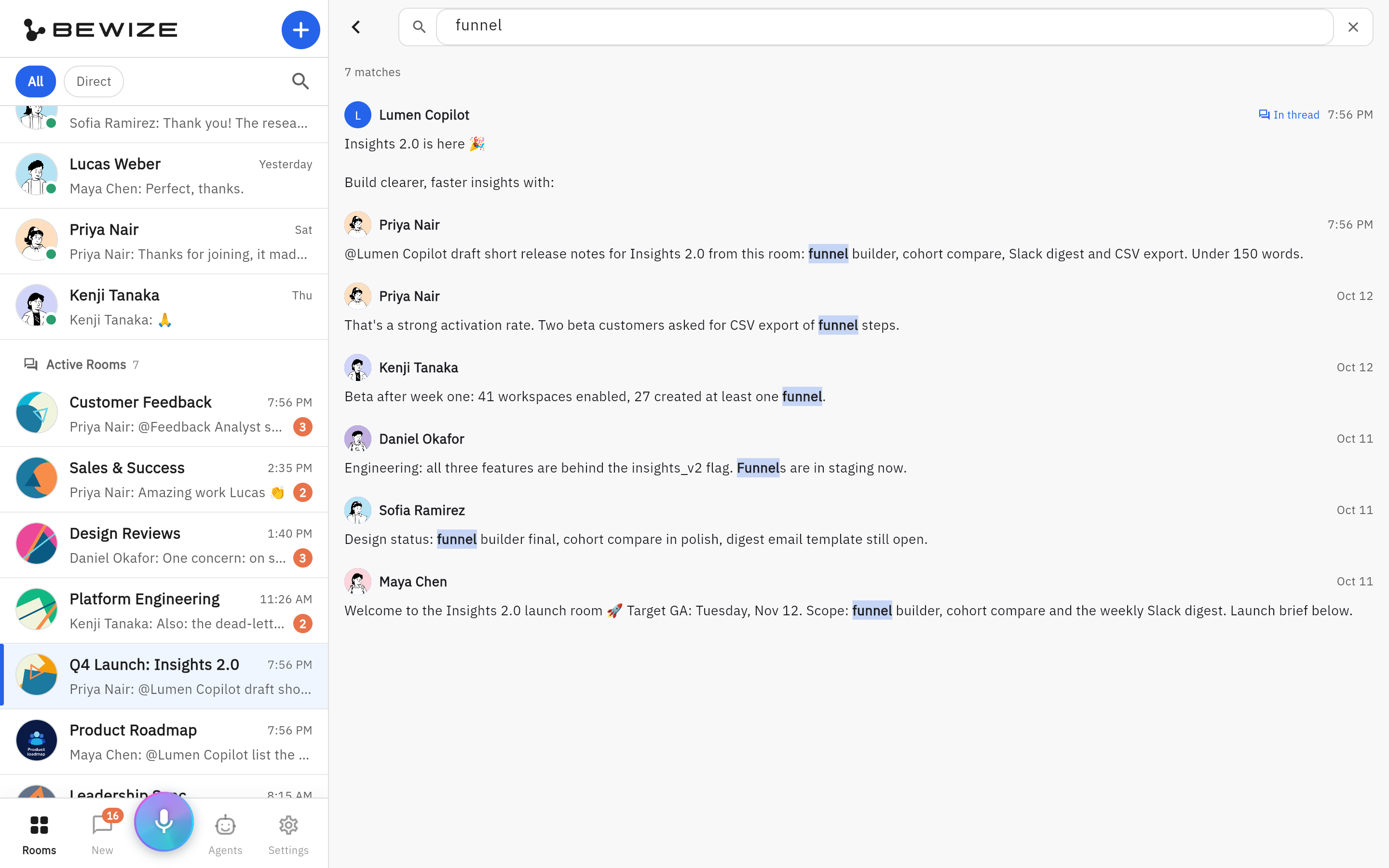
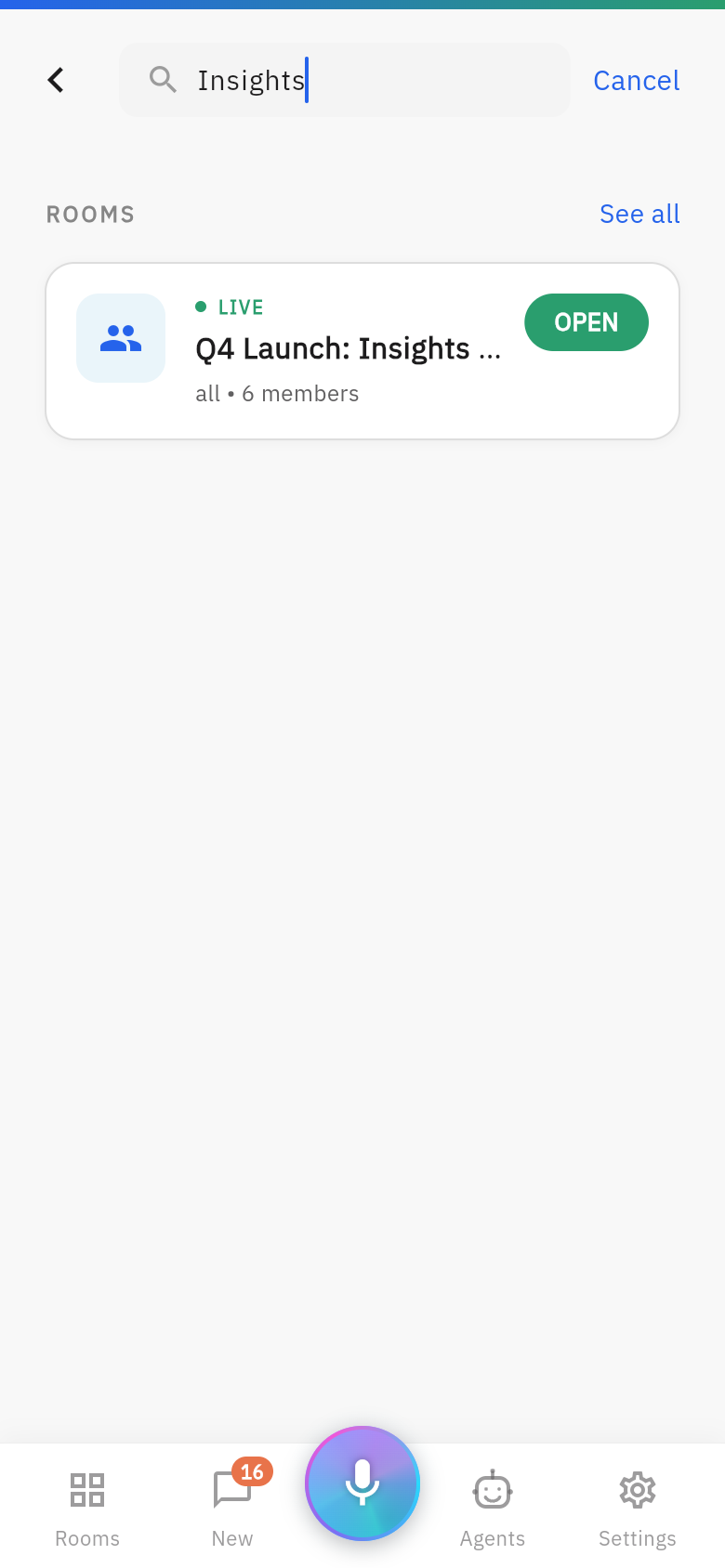
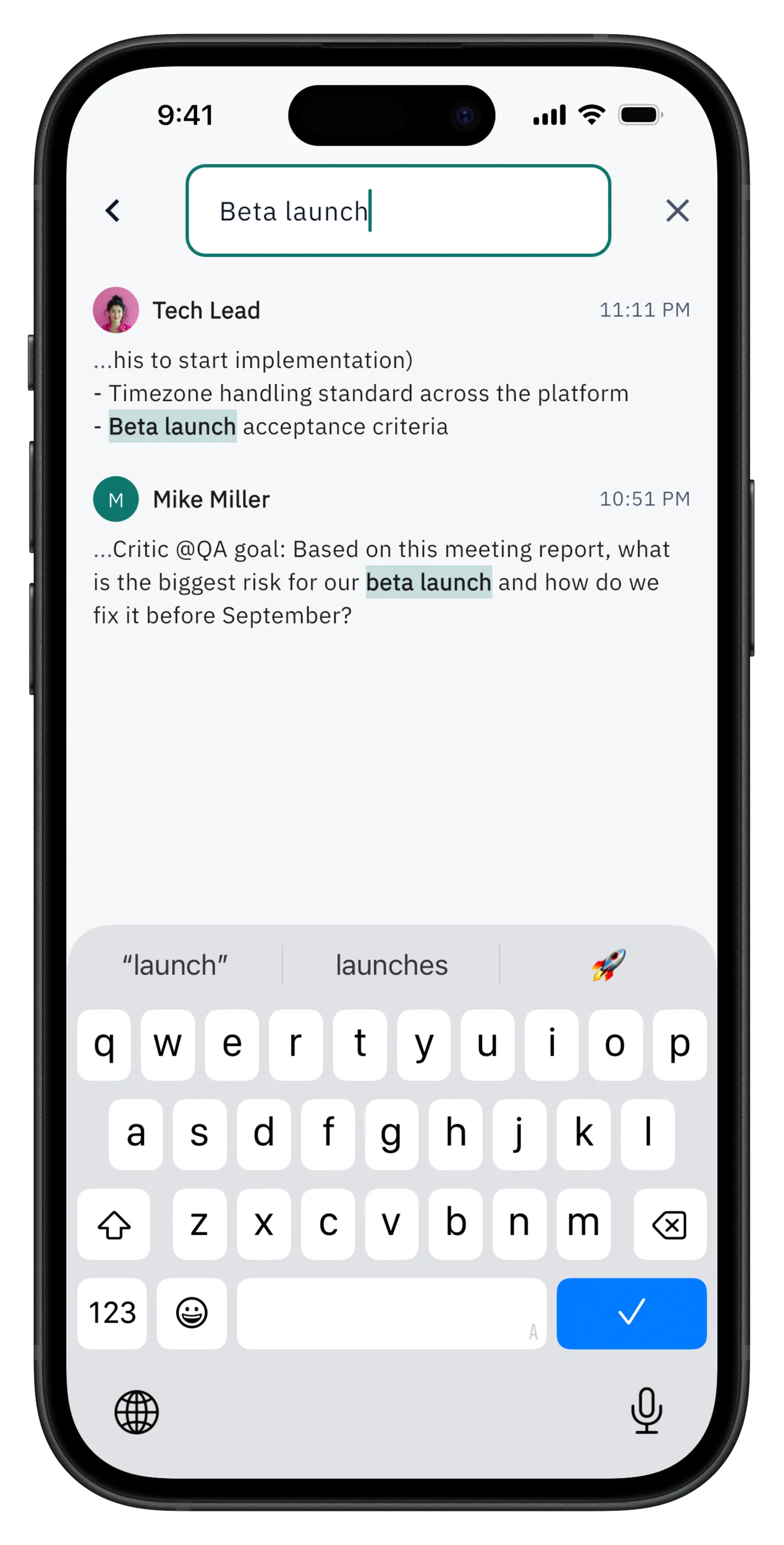
Search the room for a term and return to the matching messages. On mobile, this capture shows global search.
Illustrative product-launch workflow, not a customer result or a recording of the current interface. The intended outcome is an approved launch decision with an accepted owner, a visible first step and a traceable completion record.
Start with a practical method, then compare the tools for your actual handoff. The guide separates human-maintained records available today from decision-engine automation in development.
In development
The next chapter of Roomcord builds on shared rooms, meeting capture and room chat. Auto-board, approval ballots, commit and chase, boss view and decision ledger are the decision-engine direction now in development; these sections describe the experience we are building.
Decisions, Approvals, Tasks, Milestones and Risks, extracted from room conversations and sources. Each card keeps one owner, one date and a link to the evidence.
Bring a question, options and a recommendation. Approvers can approve, change or reassign against a clear deadline, with protected decisions requiring explicit approval.
Owners confirm “I commit by this date.” Roomcord is being built to handle reminders, surface slipping dates and escalate unresolved blockers.
See what is red, what is waiting on your decision and which commitments need attention across rooms.
Keep who decided, when and why, the alternatives considered and links back to the original discussion.
An AI teammate prepares drafts, gathers missing information and helps carry agreed work forward using the room’s context.
Our meeting direction connects the work before, during and after a call: a pre-read and decision ballot, live capture of owners and dates, then a source-linked recap and commitment requests. Approve an item asynchronously and remove it from the live agenda.
Review what changed, red items and recommended decisions. Resolve the ballot early and give the team its meeting time back.
Focus on decisions: approve, change or reassign. Capture each agreement with its owner and deadline.
Confirm commitments and let reminders and escalation keep the next steps visible.
An extracted card stays suggested until a person confirms it. Ownership is explicit, edits are attributed and sources stay attached.
Chapter 01

Room context preserves the discussion, sources and responsible people. We are building the next step: a decision ledger and live cards that connect each agreement to its owner and date.
Chapter 02

Ask your personal Assistant about the rooms you can access. Our boss-view direction brings red items, pending approvals and commitments into one overview, with links back to the room.
Chapter 03

Use configured agent templates or connect compatible external agents through A2A. Give each specialist a defined role and approved tools; a public marketplace with open discovery and billing is a future vision.
Chapter 04

RoomAgent keeps room knowledge available while specialists help with research, writing and analysis. The shared conversation and sources give everyone a common basis for the next decision.
Chapter 05

Agents can compare options and prepare recommendations. In the decision-engine direction, extracted cards stay suggested until a person confirms the agreement, owner and deadline.
Chapter 06

Use supported agent schedules for recurring work and summaries. We are developing commitment reminders and escalation so slipping dates become visible before the next meeting.
Chapter 07

Keep conversations, files and meeting context together as you move between devices. The room connects the discussion to the work, so the next person can pick up the thread.
Roomcord is not another private chatbot window. It is a shared work surface where the team and its AI coworkers use the same conversation, sources, decisions, meetings, files, and current context to move work forward.
Teammates and AI agents work in the same conversation, not in separate bot windows. Everyone, human or agent, sees the same discussion.
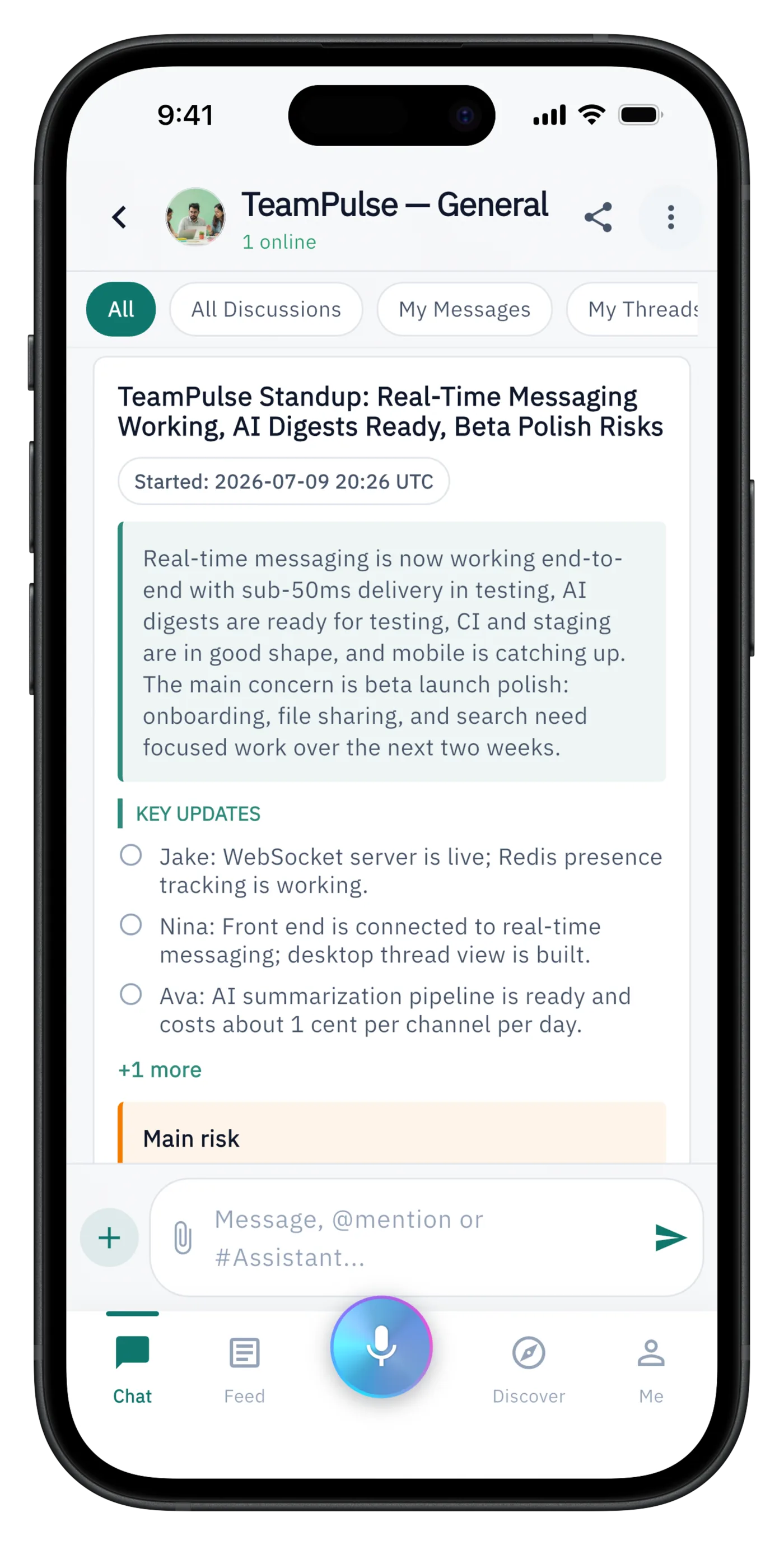
Each room maintains an auto-refreshed context document: project status, key decisions, and sources, kept current as the conversation moves.
Instead of digging through message history, the room’s knowledge is organized into overview, decisions, and open topics you can read in one pass.
Agents answer from what the room has actually discussed and decided, with grounded, specific responses instead of generic AI output.
Pair a local computer and choose the project folder to connect. See the CLI setup guide.
Run these commands on the computer you want to pair. You need Node.js 22 or later and npm. To run coding tasks, install and sign in to Codex or Claude Code on that computer.
npm i -g @fulldivevr/workcord-cli
workcord machine pair
Open the displayed link or scan the QR code, then confirm pairing in Roomcord. Wait for the CLI to confirm that your computer is paired.
Replace /path/to/your/project with your actual project folder:
workcord machine start --root /path/to/your/project
Keep this terminal running while you use the connection. Press Ctrl+C to stop it. The --root option selects the working folder; it does not sandbox the coding agent. Tasks run with your local user’s access and without per-task approval.
On macOS or Linux, use this instead of the foreground command:
workcord machine install-service --root /path/to/your/project
To stop and remove the background service:
workcord machine uninstall-service
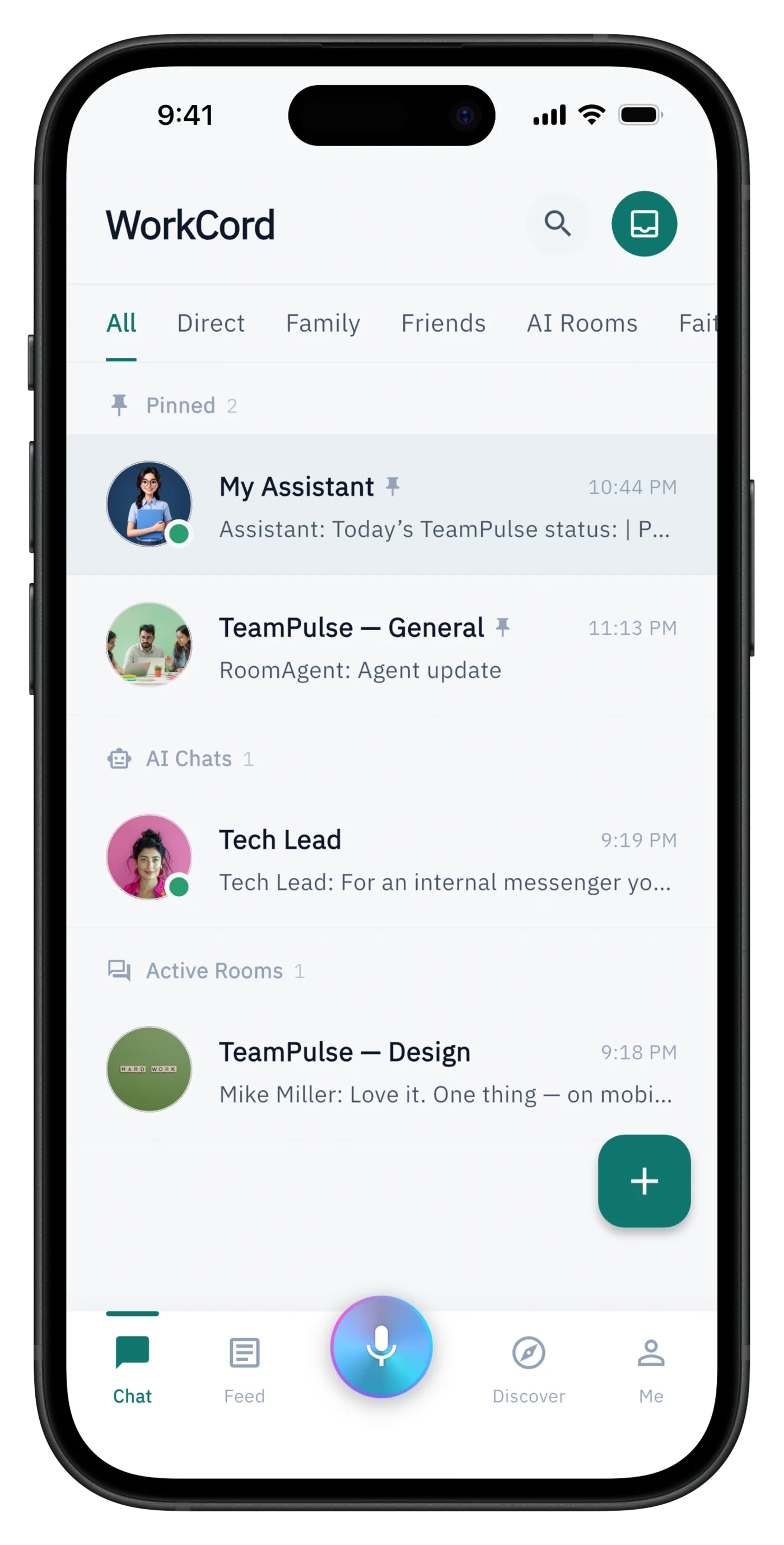
A room answers questions from its decisions and history.
Illustrative examples feature fictional AcmeFlow and Ridgeway Logistics. Narration is synthetic (Victor). English audio; captions are not available.
Agents in Roomcord are room participants: mention them, give them a goal, or let them keep the room's knowledge current.
Agents
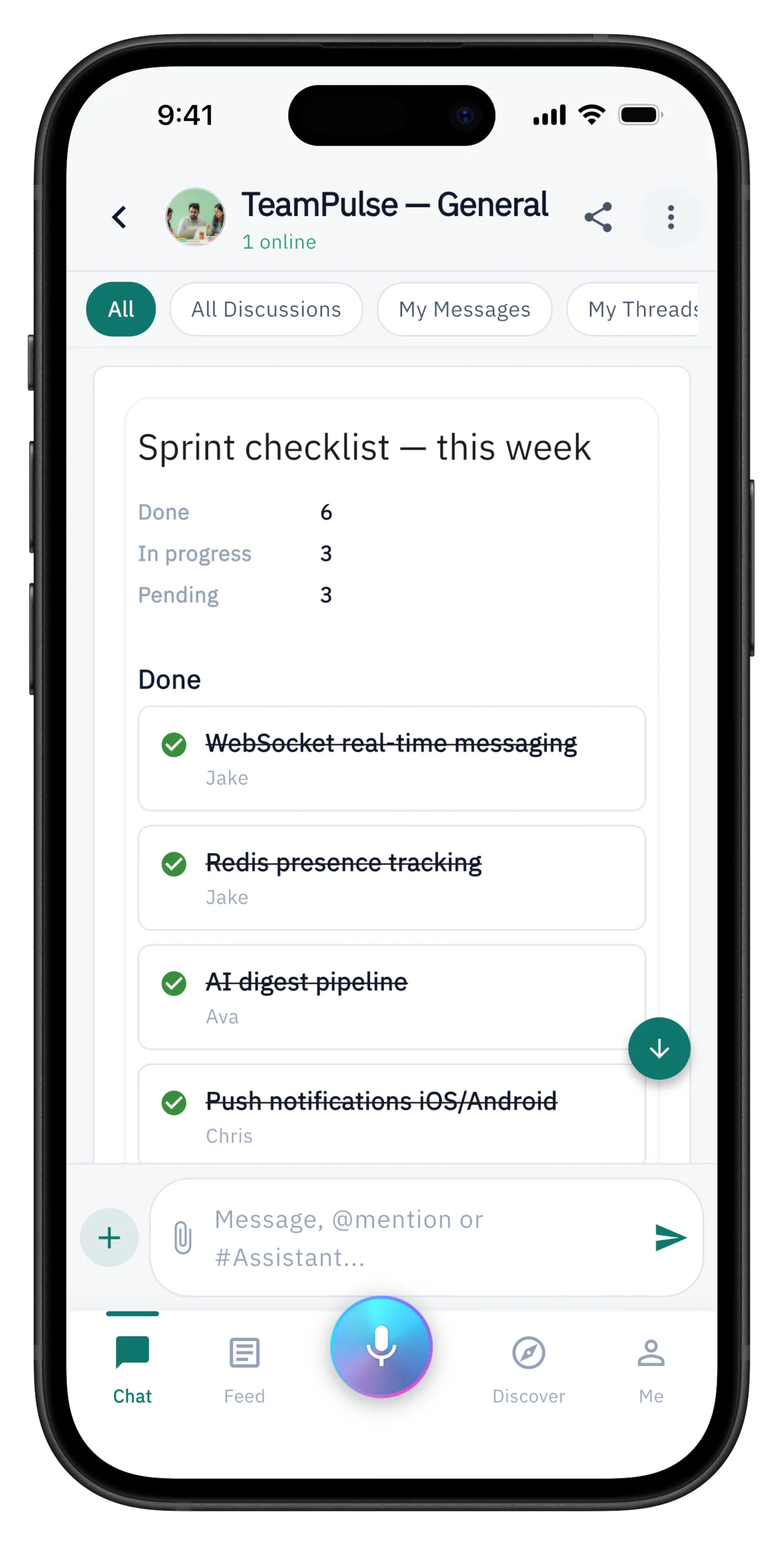
Ask @PM Buddy for a project status and get a formatted done / in progress / blocked report built from the room.
Agents
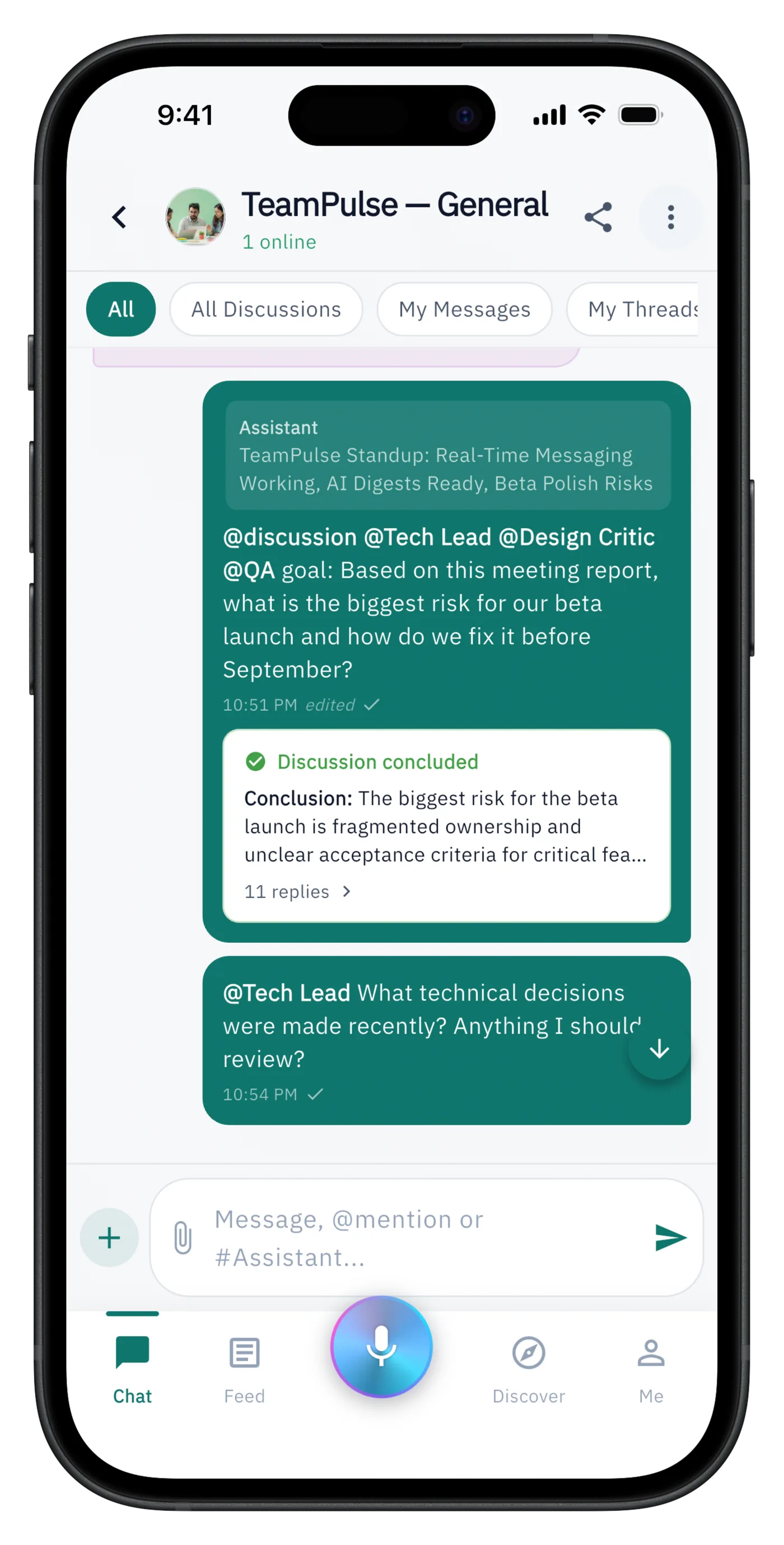
Give several agents a goal and let them debate it , the discussion ends with an auto-generated conclusion card.
Shadow
Your personal agent Shadow can check the rooms you have access to and report back , launch dates, risks, decisions.
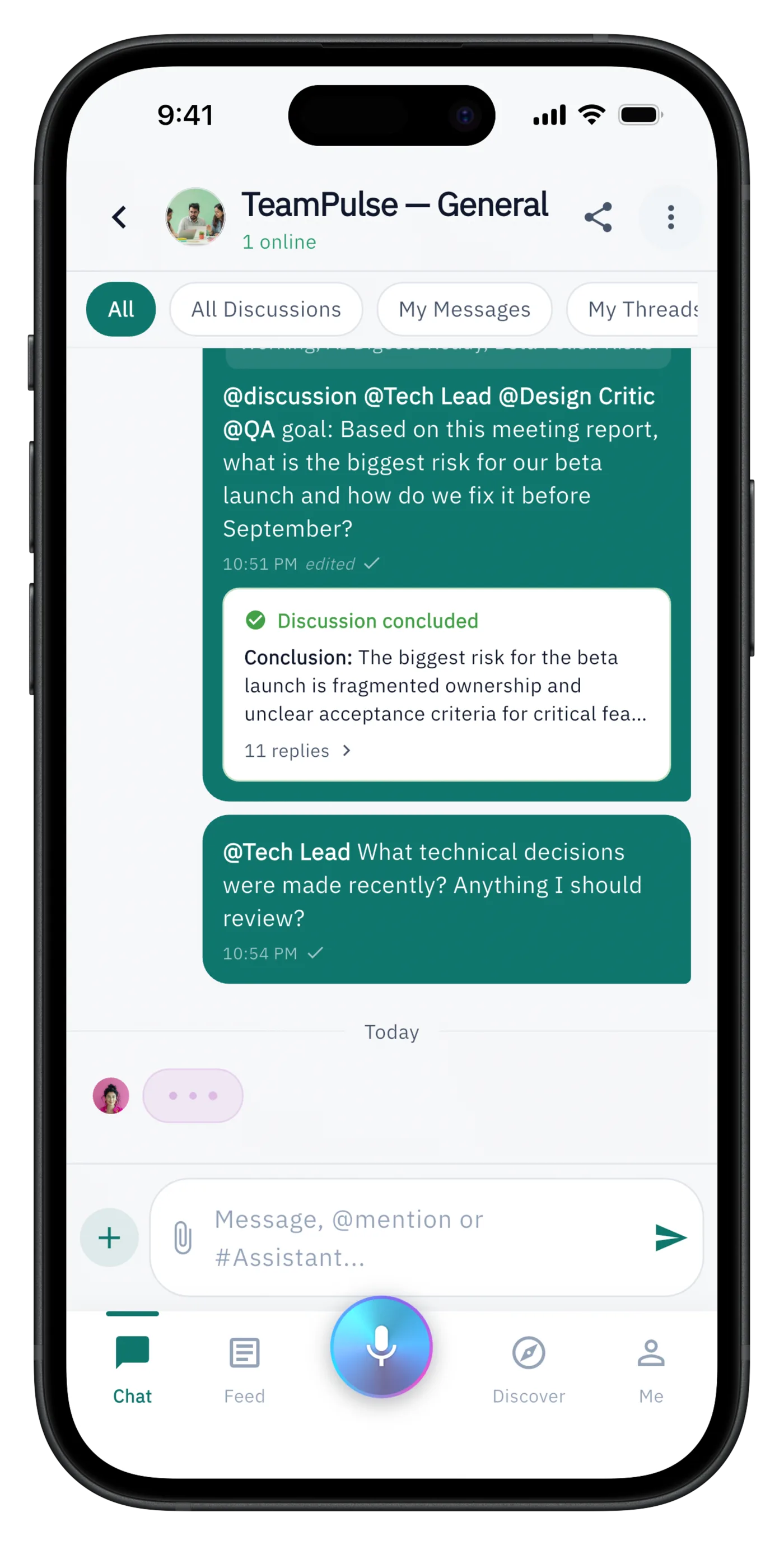
Controls
Decide when each agent responds , mention only, proactively, or suggestions , and whether it replies in a thread or in chat.
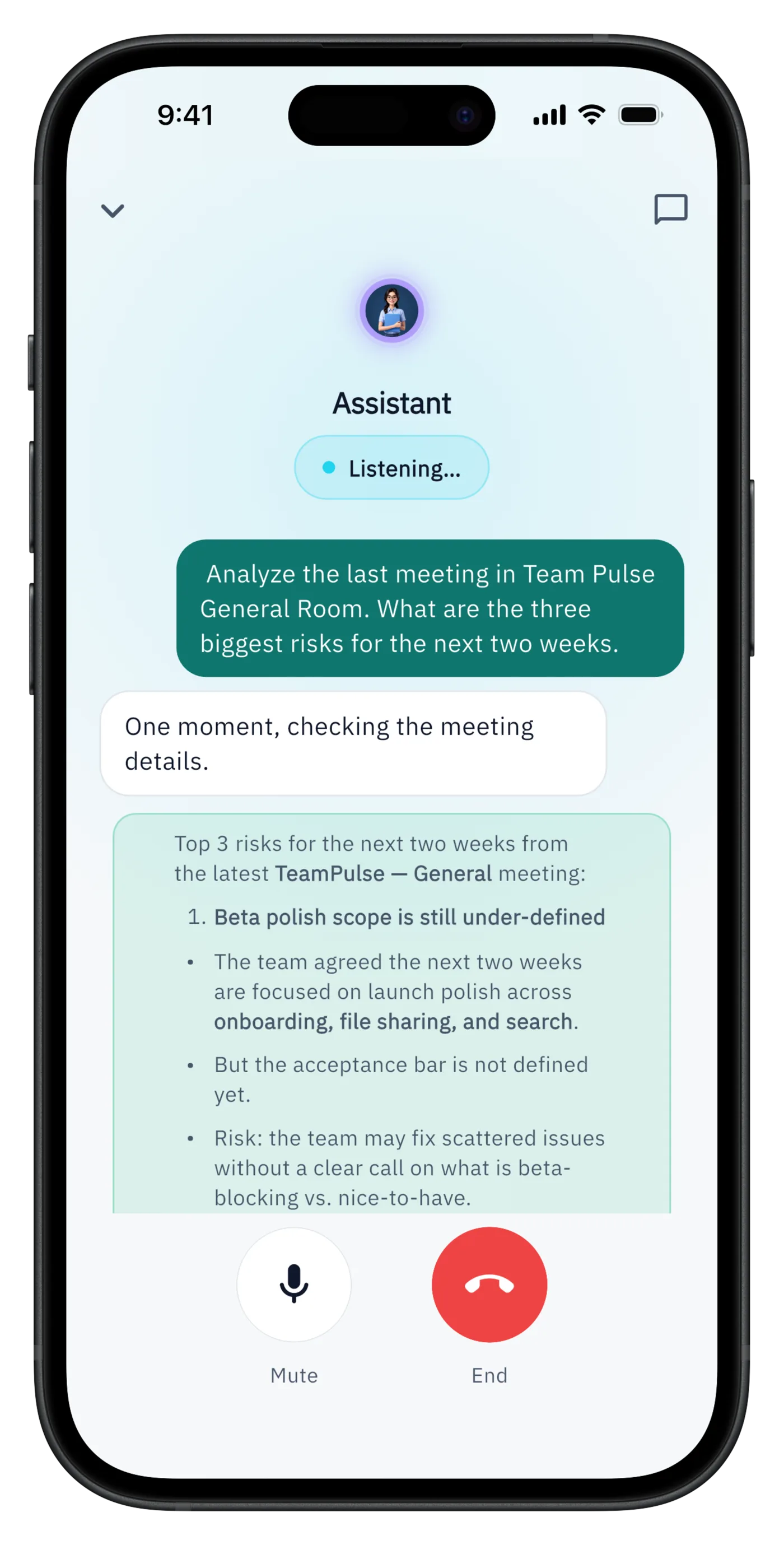
Voice
Talk to an agent in a full-screen voice session and get live answers drawn from your rooms’ context.
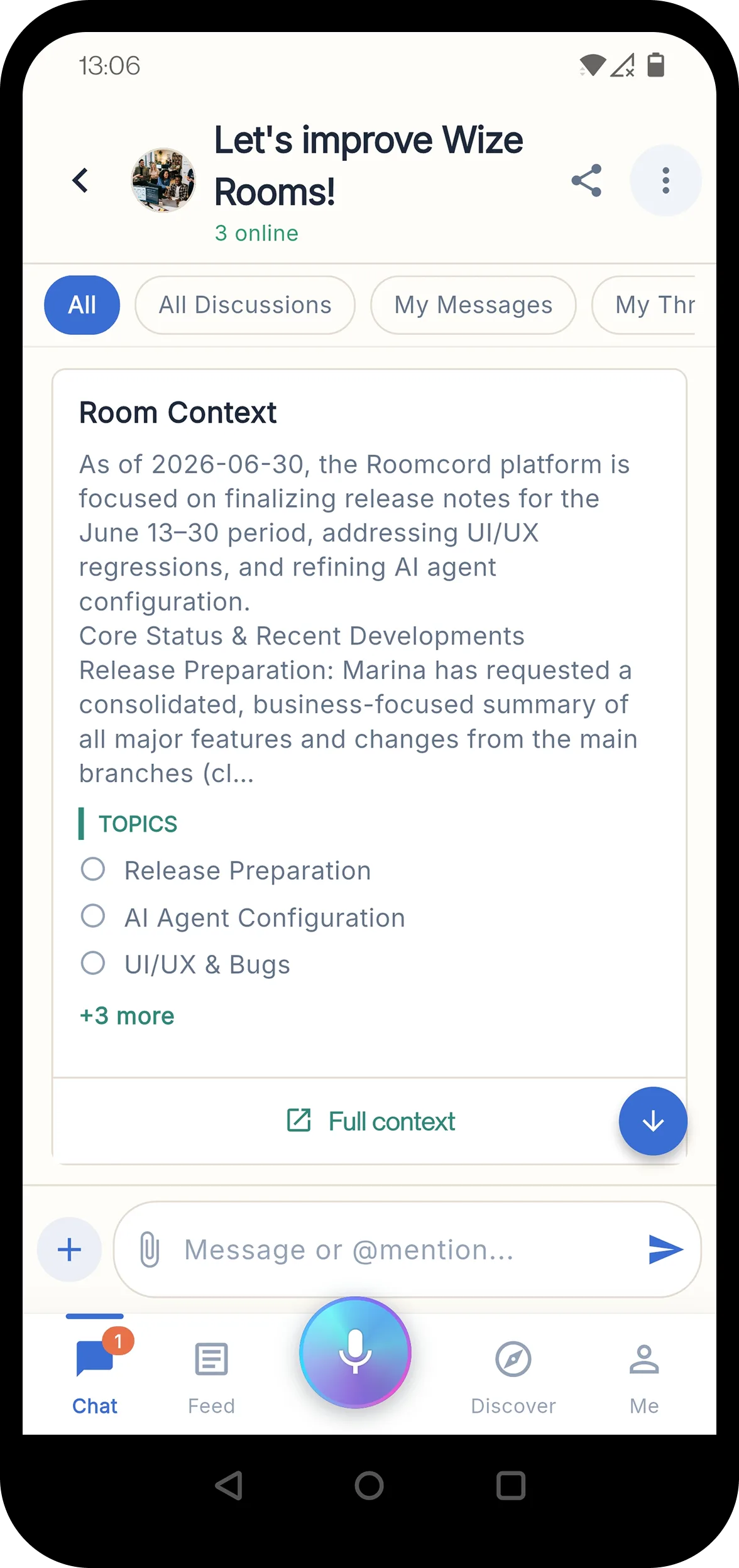
Context
A summary card surfaces the room’s current context and topics right in the conversation, one tap from the full document.
One assistant answers across rooms the user can access.
Illustrative examples feature fictional AcmeFlow and Ridgeway Logistics. Narration is synthetic (Victor). English audio; captions are not available.
Use Roomcord when a stream of work needs shared memory, not another place to copy updates. Threads, pins, reactions, mentions, and meetings all feed the room context so the team and its agents keep the same operating picture.
Keep side discussions attached to the message they answer, so decisions stay traceable.
Pin an @all list and let the team vote with reactions , lightweight prioritization without a separate tool.
@mention a teammate, an agent, or @all. Agents respond as participants, in place, where the question was asked.
Long-press the mic to record a meeting , up to two hours. Roomcord transcribes it and Shadow posts a clean recap with a shareable permalink.
Less status-chasing and fewer recap meetings: decisions, priorities, and meeting notes are captured where the work already happens.
Roomcord is the collaboration surface, not a replacement runtime for every agent. Bring A2A-compatible external agents into the room alongside Bewize-managed agents. Bewize Hub separately hosts and governs agents that run on its managed infrastructure.
Agents managed by Bewize Hub run with isolated runtimes, policies, and usage visibility. Roomcord is where people work with them and compatible external agents.
Rooms expose agent card URLs and API keys, so any A2A-compatible agent can join a room with a managed identity.
When an agent uses a tool, the call renders as a collapsible detail in chat , you can always see what an agent actually did.
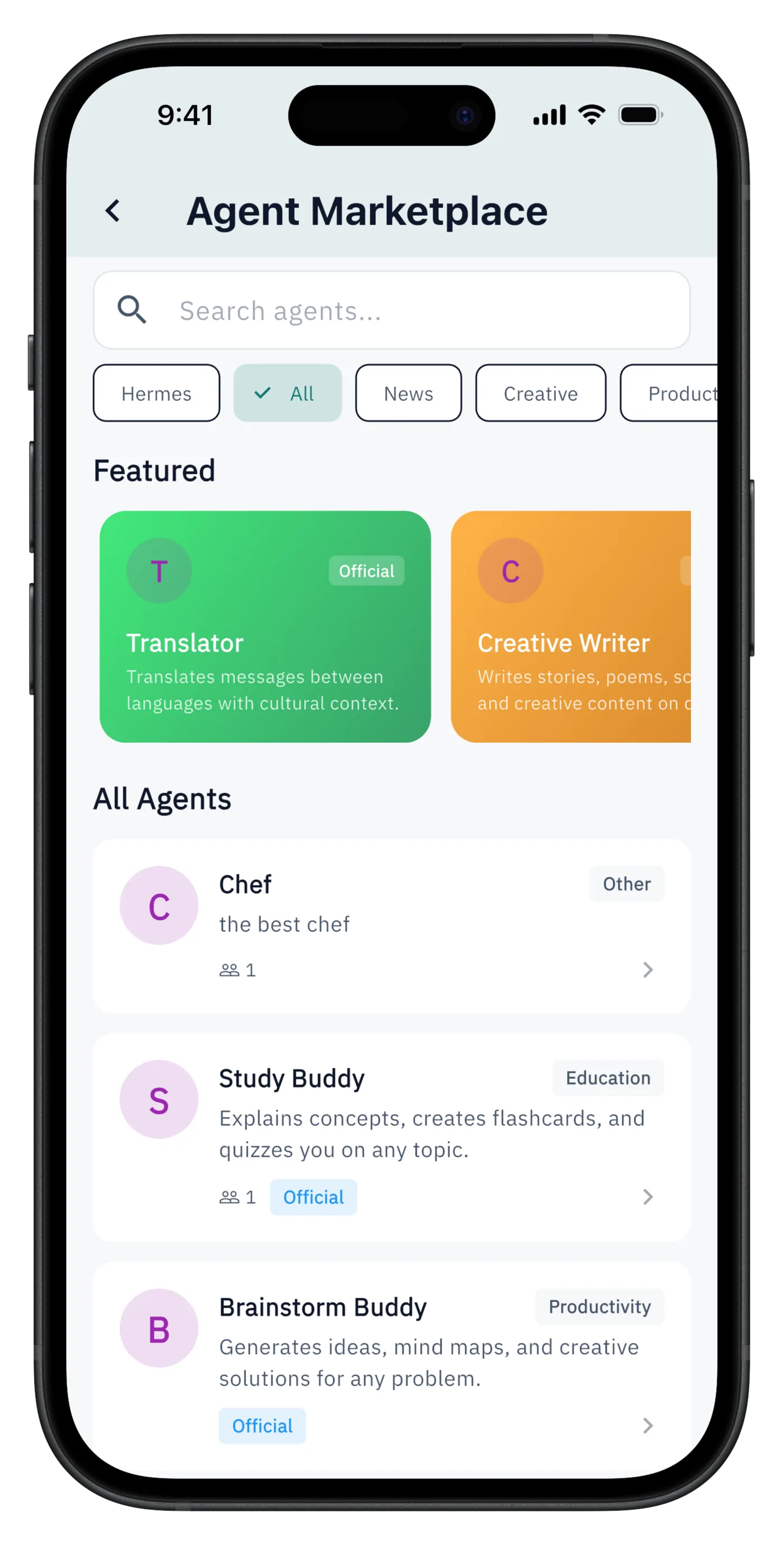
Internal one-click agent templates spawn a pre-configured agent for a room , a PM agent, a QA agent , without implying an open third-party marketplace.
Create a specialist, add it to a room, and see it use room context.
Illustrative examples feature fictional AcmeFlow and Ridgeway Logistics. Narration is synthetic (Victor). English audio; captions are not available.
Roomcord supports external agents exposed through A2A. These frameworks document ways to serve A2A agents; configure and authenticate an A2A endpoint before adding it to a room. This is protocol compatibility, not a claim of preconfigured or certified vendor integrations.

Google ADK
Expose an ADK agent through A2A, then bring its endpoint into a room.
A2A setup docs →
Microsoft
Host a framework agent as an A2A service for room participation.
A2A setup docs →
Agno
Expose Agno agents, teams, or workflows through its A2A interface.
A2A setup docs →
A2A deployment path
Serve a LangChain agent over A2A using a documented deployment template; ordinary LangGraph agents do not expose A2A automatically.
A2A setup docs →
AWS
Deploy a Strands A2A server on Bedrock AgentCore and connect the configured endpoint.
A2A setup docs →Follow each part of the same workflow in more detail.
How conversations become five types of source-linked cards.
Learn more →How recommendations reach a decision with approvers and deadlines.
Learn more →How accepted commitments receive reminders and contextual escalation.
Learn more →How pre-reads, ballots and recaps replace status readouts.
Learn more →How leaders see exceptions, pending decisions and delivery across rooms.
Learn more →How decisions keep their reasons, sources and attributable history.
Learn more →How an AI teammate prepares drafts and gathers missing information.
Learn more →As of October 21, 2026, shared rooms, chat, files and meeting capture form the existing Roomcord foundation. Auto-board, approval ballots, automated commitment follow-up, boss view and decision ledger are in development. This page announces the intended experience; pilot scope and availability are agreed for each team. Existing room-memory demos below illustrate the foundation, not completion of the full decision loop.
Suggested cards require human confirmation. Money above a room’s limit, legal matters and people decisions are protected items that require explicit approval. Any timeout policy must retain those exceptions.
Bring one project, a recurring approval or meeting, the decision owner and relevant sources. Map the first workflow and measure decisions closed on time, meeting time and manual follow-up before and during use.
Pair a computer with Roomcord, connect a project folder and run local coding tasks through Codex or Claude Code. Keep the result connected to your project room.
Learn more →Bring charts, tables, timelines, diagrams and supported interactive dashboards into the room where your team discusses the work.
Learn more →Bring one recurring meeting or approval workflow. Explore how Roomcord can connect the conversation, decision, owner and deadline, and which decision-engine capabilities are available for your pilot.

Architecture conversation
Share your deployment boundary, number of agents, work surfaces, and governance requirements. We will reply by email to arrange a focused technical discussion.
Email the Bewize teamThis opens your email application. Read our Privacy Policy.