Glean alternative

Glean alternative: search across every company system, or AI teammates in one shared project room?

Look for a Glean alternative if your team is small, your work happens in conversations and meetings, and a quote-only contract with a credit meter does not fit. Stay with Glean if you are a large company that needs permission-aware search across many systems. Roomcord is a shared project room where people and AI teammates work from the same conversation, files and meetings. It does not do enterprise search.

The short answer

Look at Roomcord if:

  • Your team decides in conversations and meetings, and your question is “what did we decide”, not “where is the document”.
  • You want an agent to answer in a shared room, where teammates see and correct the reply.
  • You want to test AI teammates on one recurring workflow before you connect every company system.

Stay with Glean if:

What this page is: a dated comparison by Bewize, the maker of Roomcord. Glean limits and rates link to their sources. Glean publishes no price, so third-party figures are labelled as estimates. Roomcord claims follow a check of the production build on November 15, 2026. Its availability section lists what is in development. Reviewed November 15, 2026.

Why teams look for a Glean alternative in 2026

Glean pricing: no public price

As of November 2026, Glean publishes no price. The address glean.com/pricing opens the home page, with a “Get a demo” button. Vendr, a software buying service, reports a median contract of $99,080 a year across 175 purchases, and minimum commitments that often start around 100 to 250 users. These are Vendr’s figures from February 2026, not Glean’s prices. One Hacker News user wrote that tools like Glean “help a lot here but they’re also expensive”.

FlexCredits: agent runs and premium models are metered

Glean calls Enterprise Flex its “new pricing model”: a per-user seat plus a shared pool of FlexCredits. Premium-model queries, agent runs, meeting notes and slide generation consume credits. Learned memories are billed from November 7, 2026. The page gives no dollar price for a credit, and it says: “Rates may be adjusted by Glean on a periodic basis”. UsagePricing, a third-party tracker, reports that the rate card grew from seven metered lines in January 2026 to 13.

Slack messages: live search only, since March 2026

In 2025, Salesforce changed the Slack API terms: third-party apps can no longer index or permanently store Slack messages (Salesforce Ben). The article cites a Glean email to customers, which said that the change was “hampering your ability to use your data with your chosen enterprise AI platform”.

Glean stopped using Slack’s Discovery APIs on March 3, 2026. Its Slack connector now fetches messages live at query time and does not index them. After the migration, proactive summaries of long threads and the daily digest do not work.

What Glean costs now

Glean pricing as of November 2026: no list price for a seat or for a credit. The table shows what the Enterprise Flex page, last updated on November 12, 2026, includes and meters. Credit figures are Glean’s typical values at the 50th and the 90th percentile.

ItemList priceWhat is includedLimit or meter
Enterprise Flex seatNot publishedSearch, unlimited Fast Mode queries, agent building and sharing100 standard Thinking Mode queries per user per week, then credits
FlexCredits poolNot published“a generous base pool of FlexCredits for the organization”More credits are sold as FlexCredit Packs
Glean Agent runCreditsNot in the seatAbout 7 credits, about 114 at the 90th percentile
Thinking Mode query, premium modelCreditsNot in the seatAbout 35 credits, about 120 at the 90th percentile

A 25-person team. If one agent runs for each person on each working day, that is 25 x 21 = 525 runs a month: about 3,675 credits at the typical rate, and about 59,850 if each run is at the 90th percentile (an example, not a measurement). Ask Glean for the price of a credit, the size of the pool and the seat minimum in writing.

Roomcord has no public price list and no self-serve signup. Pricing is by quote, after a demo on your own workflow. Ask for the included usage and the overage terms in writing.

Glean vs Roomcord at a glance

QuestionGleanRoomcord
Where does the AI work?In Glean Search, Assistant and Agents: in the browser, the desktop and mobile apps, and Glean in Slack.In a shared project room. People @mention an agent, and the room sees the reply.
What does the AI know?The systems that the company connects, through more than 275 connectors. An answer uses only what the asker can open: “Glean never grants broader access than the source system provides.”The room: conversation, files, meeting recaps and a Room Context document. No enterprise search, and no permissions mirrored from other systems.
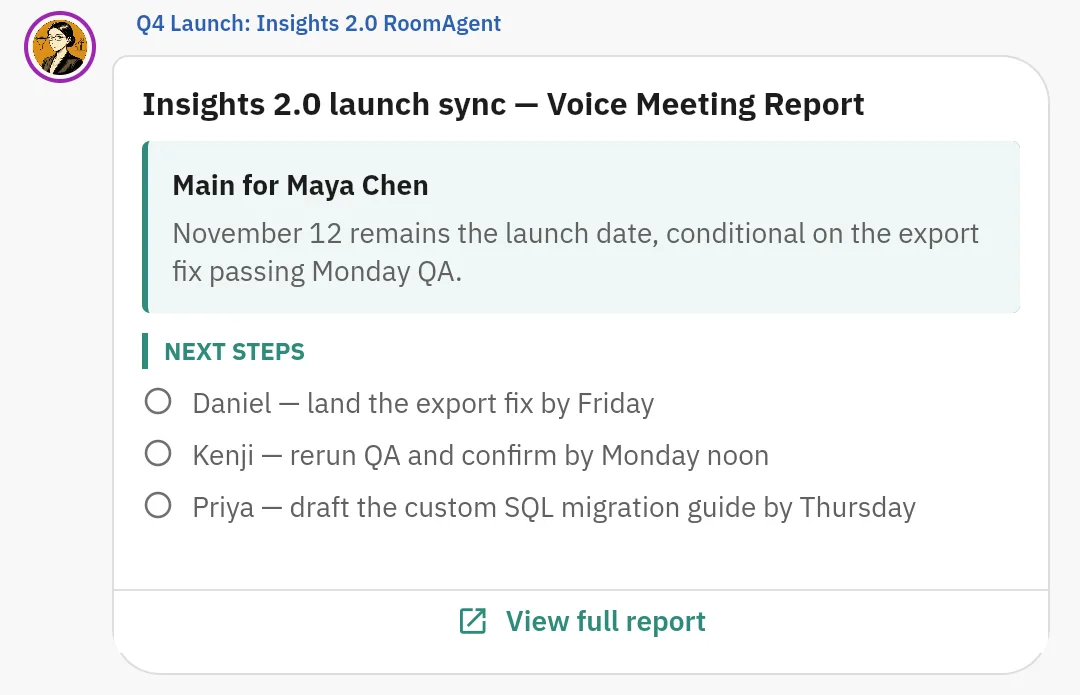
What happens after a meeting?Meeting Notes create summaries and action items from transcripts, and consume FlexCredits.Meeting Mode records on mobile or web, up to two hours. A report is posted in the room. A person confirms each owner and date.
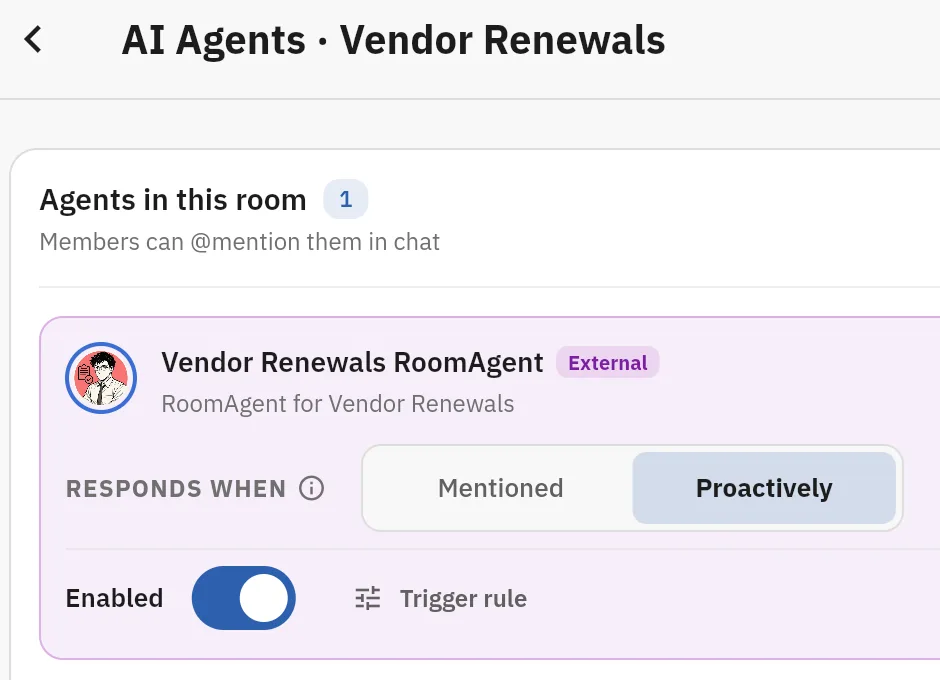
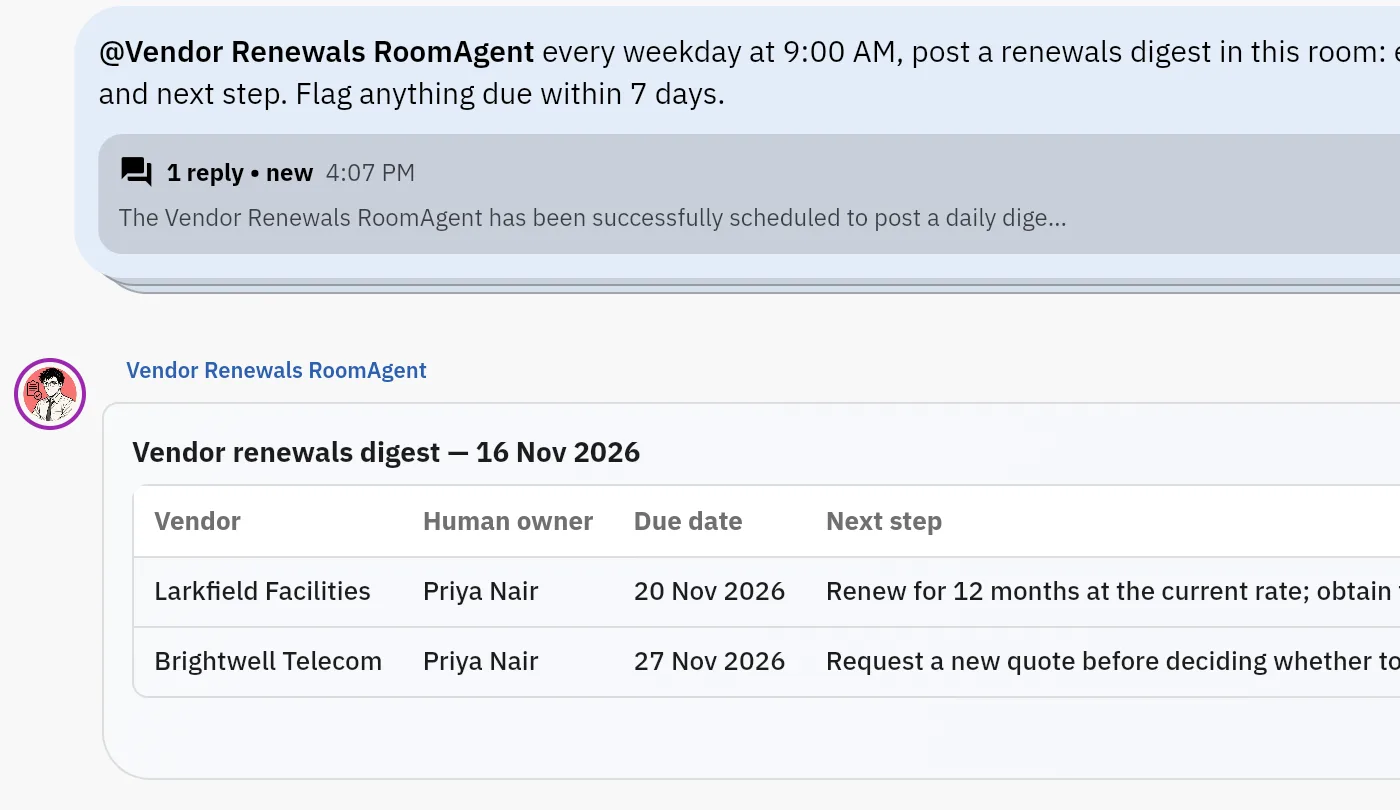
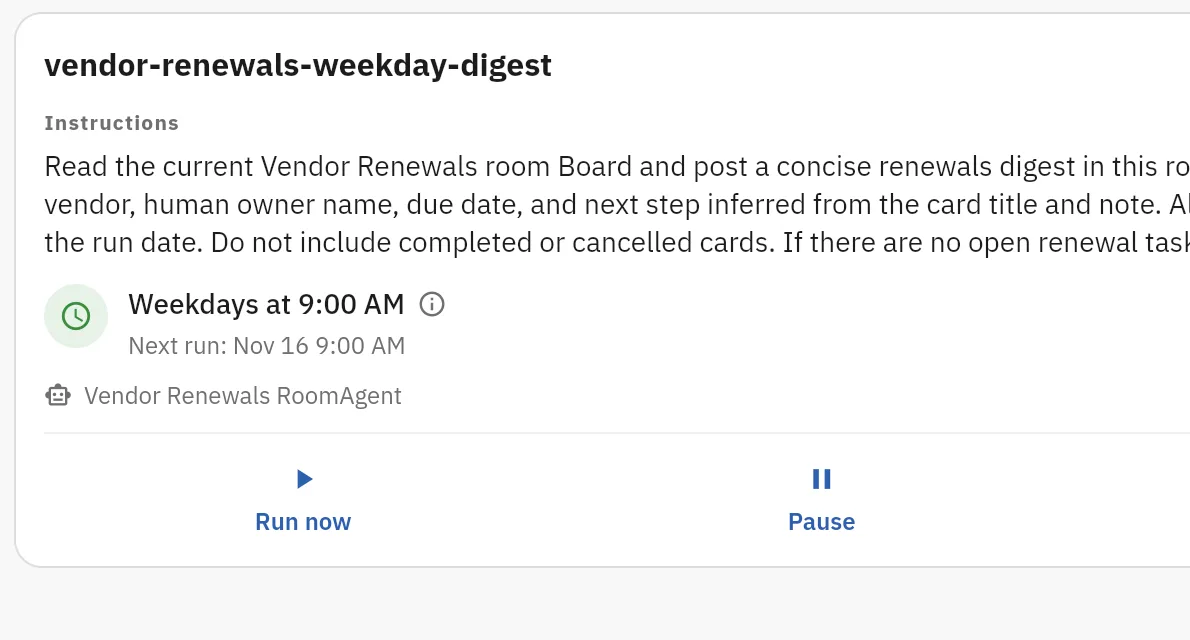
Can agents work on a schedule?Yes, after an admin enables it: “By default, scheduled triggers are turned off.”Yes, on a timer. Ask an agent in chat to do work on a schedule. A Jobs tab lists its jobs with Run now, Pause, Resume and Delete.
Where does it run?Glean’s hosted service, or customer-hosted in your own GCP or AWS account. Glean’s site lists SOC 2 Type II and ISO 27001.Designed for private cloud or data-center infrastructure that the company controls. Placement is agreed per deployment. No compliance certificate is claimed here.
What does it not do?It publishes no price, and it does not index Slack messages.No enterprise search and no connector catalog. Automatic reminders, approval ballots and boss view are in development.

The same job in both products

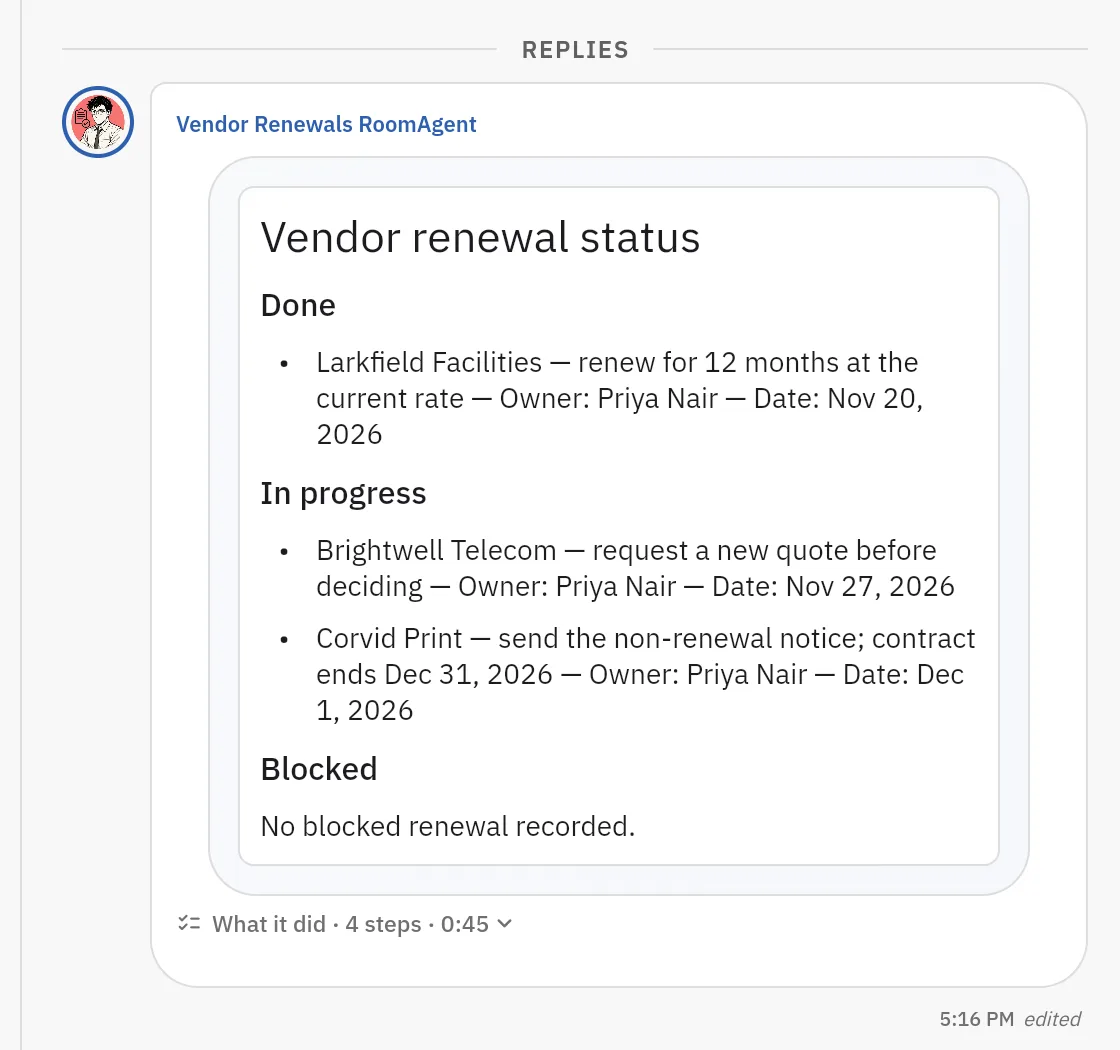
The job: a new operations lead asks what the company decided about a vendor renewal, and what is still open.

In Glean. She asks Glean Assistant. Glean searches the connected systems and answers from the documents, tickets and pages that she can open: permissions are checked at query time. This is the job that Glean is built for. It works best when someone wrote the decision down in a connected system.

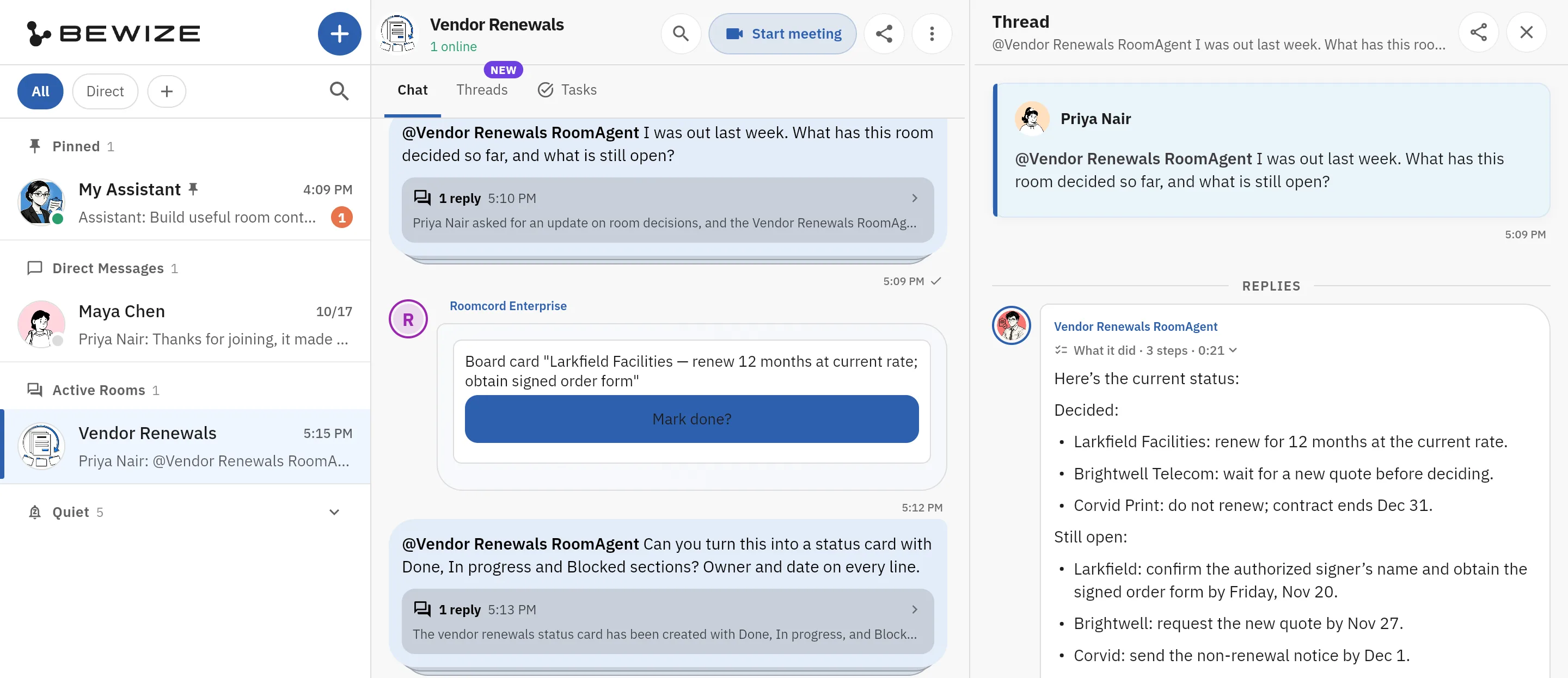
In Roomcord today. The vendor renewals have their own room. The quotes are files in the room, and the discussion is the room chat. Meeting Mode records the review on mobile or web, up to two hours. Roomcord transcribes it, and a recap is posted in the room. She @mentions the room agent and asks what was decided. The reply lands in a thread, where a teammate can correct a wrong date.

What is manual: a person adds the files. The recap proposes names and dates, and a person confirms each owner and date. Roomcord reads the room, not your drive, tracker or Slack. Automatic tracking, reminders and chasing are in development.

Where Glean is stronger

  • Search across many systems. More than 275 connectors behind one search.
  • Permissions in every answer. Glean mirrors the access rules of each source and checks them at query time.
  • Documented deployment and security. Customer-hosted in your own GCP or AWS account, with SOC 2 Type II and ISO 27001 listed on Glean’s site. Roomcord claims no compliance certificate here.
  • Model choice. Glean matches each task to a model across “40+ open and frontier models”.
  • A published rate card. Glean shows what each feature consumes, but not the price. Roomcord publishes neither.

What Roomcord does not replace

  • Enterprise search. No index of your drives, wikis, tickets or CRM.
  • Permission-aware answers across systems. Roomcord does not mirror access rules from other tools.
  • A connector catalog. None is claimed. A2A-compatible agents can join a room, and that setup is yours to build and test.

Run it next to Glean first

  1. Pick one recurring workflow where the team decides in conversation, such as a monthly vendor review.
  2. Open one room for it. Add the people who do that work and one AI teammate.
  3. Keep Glean for search across the company. Cancel nothing.
  4. After three or four cycles, count what the agent got right, what people corrected and what stayed manual.

The cost: a second app for that workflow. The test is a pilot agreed with us after a demo. Roomcord has no self-serve signup.

Leaving Glean: what to check first

  • Contract term. Glean’s Terms of Service of June 2026 say that, outside the listed exceptions, “the Service may not be cancelled or terminated by Customer during the Subscription Term”. The term and the renewal are in your Order Form.
  • Data deletion. Upon termination, “Glean will delete the Customer Data stored in the Service”. The terms give no number of days, so ask for the date in writing.
  • Legacy plans end. Customers on the older Glean Enterprise plan “will need to move entirely to Glean Enterprise Flex” at the end of the current term (Enterprise Flex page).
  • Export the usage data. The usage dashboard exports a .csv file of FlexCredits by user and department. Download it before you negotiate.

Questions people ask about Glean and Roomcord

How much does Glean cost?
Glean publishes no price, as of November 2026. Its documentation describes a per-user seat plus FlexCredits, with no dollar figure (Enterprise Flex pricing). Vendr reports a median contract of $99,080 a year. That is Vendr’s figure, not Glean’s price (Vendr).
What can Glean AI agents do?
Glean Agents reason over company content and use tools. They start from a chat message, a schedule or a content event such as a new Slack message (content triggers). Agent runs consume FlexCredits: about 7 for a typical run, as of November 2026.
Glean vs Dust: what is the difference?
Glean is sold by quote and is built on enterprise search. Dust publishes prices: a Pro seat costs 24 euros per month billed yearly, on a plan for teams of up to 100 people, as of November 2026 (Dust pricing). See our Dust comparison.
Is there a self-hosted Glean?
Yes. Glean documents a customer-hosted deployment in your own GCP or AWS account (Customer-hosted deployment).
Does Roomcord replace Glean?
No. Roomcord has no enterprise search, no connector catalog and no permission sync with other systems. It is an alternative for one job: AI teammates inside the team’s conversation, files and meetings. See the other comparisons.
How much does Roomcord cost?
Roomcord has no public price list, no free tier and no self-serve signup. Pricing is by quote, after a demo on your own workflow.
What works in Roomcord today?
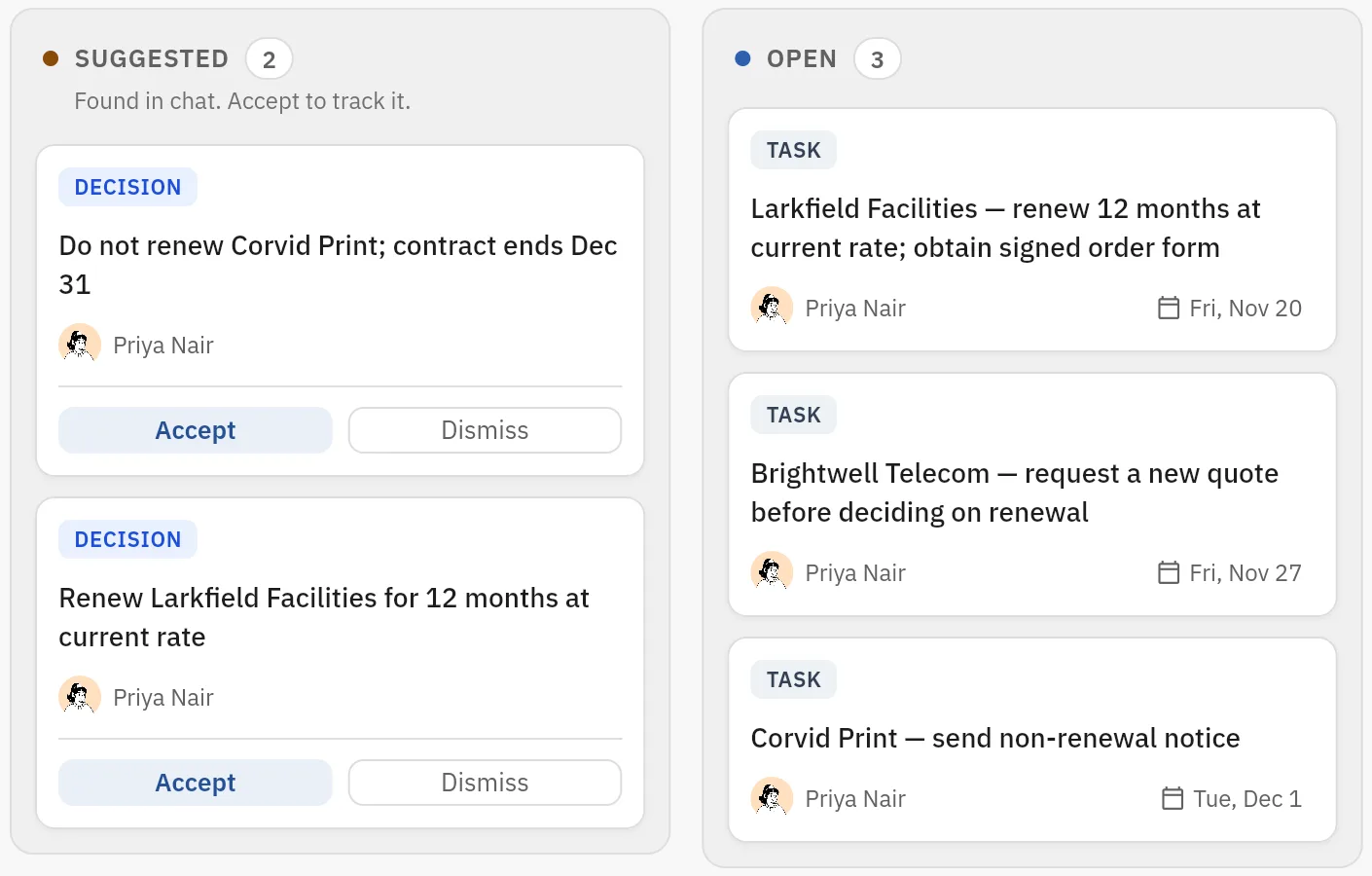
Shared rooms, chat, files, meeting capture with a report, AI teammates that answer in the room, the room Board with suggested cards that a person accepts, scheduled agent jobs, and room access for A2A-compatible external agents. Automatic reminders and follow-up, approval ballots and boss view are in development. Pilot scope is agreed for each team.

Bring one recurring workflow

Pick one recurring review or meeting where the team decides in conversation, not in a document. We show it in a Roomcord room: what works today, what stays manual, what is in development. Pilot scope and price follow.

+1 332 2081410
[email protected]

Request a demo

Share a little context. Our team will reply by email to arrange the next step.