ClickUp AI alternative

ClickUp AI alternative: a task tool with AI credits, or a room with AI teammates?

Look for a ClickUp AI alternative if you wanted a simple place to hand work to AI, and a full project suite with a credit pool is more than you need. Stay with ClickUp if you need tasks, Docs and dashboards in one tool. Roomcord is a shared project room where people and AI teammates work from the same conversation, files and meetings. It is not a project management tool.

The short answer

Look at Roomcord if:

  • Your team talks the work through first, and you want the AI in that conversation, not in a side panel of a task tool.
  • You want a few named AI teammates per project that the team can see and correct.
  • You want to agree where agents run. Roomcord is designed for infrastructure your company controls.

Stay with ClickUp if:

  • You need project management in one product: tasks, Docs, whiteboards, dashboards, forms and automations.
  • You want a public price and a self-serve start. Core is $9 per user per month, billed yearly, with AI credits included, as of November 2026.
  • Your AI should act directly on task data.

What this page is: a dated comparison by Bewize, the maker of Roomcord. ClickUp prices and limits link to their sources. Roomcord claims follow a check of the production build on November 15, 2026. Its availability section lists what is in development. Reviewed November 15, 2026.

Why teams look for a ClickUp AI alternative in 2026

“Is ClickUp Brain still a $9 add-on?” Not since November 2026

Between October 26 and November 2, 2026, ClickUp removed its standalone AI tiers (Brain AI at $9, Everything AI at $28), put pooled AI credits in every plan and added a $100 Max plan (PricingSaaS change record). Guides written before that week still quote the add-ons. Redo your budget from ClickUp’s pricing page.

“We were moved to a plan we did not ask for”

One customer wrote on October 20, 2026 that ClickUp moved their workspace to a new Business plan, free until October 11, 2027, then rising from $12 to $16 per user per month. They called it “a price increase for features we didn’t ask for” (feedback board post). This is one report, with two votes and no ClickUp reply as of November 15, 2026.

“I cannot tell what a credit buys”

The pricing page says which features spend credits and what extra credits cost. As of November 2026 it does not say how many credits one agent run or one recorded meeting uses. A user in August 2026: “we don t really understand when to use Brain vs SuperAgent to optimize costs” (feedback thread).

“Only a few of us use the AI”

In October 2025 a team of more than 20 wrote in that thread that “only a fraction of us use Clickup AI Brain.” Pooled credits fix half of this: five heavy users can spend the allowance of 25 seats. But no plan comes without AI.

“It is slow”

On Hacker News in May 2026, one user described search that sometimes takes 5 to 10 seconds or more (comment). This is a single comment, not a measurement.

What ClickUp AI costs now

ClickUp Brain pricing is now plan pricing. Per user per month, billed yearly, as of November 2026:

PlanList priceAI includedAI credits
Free Forever$0Brain² trial500 per workspace
Core$9Brain² trial1,000 per user per month
Business$17Brain², unlimited standard models (fair use)1,500 per user per month
EnterpriseCustomAdds unlimited AI Notetaker (fair use)3,000 per user per month
Max$100Adds unlimited AI Notetaker10,000 per user per month

Source: ClickUp’s pricing page, checked November 15, 2026. Paid-plan credits are pooled across the workspace. Extra credits cost $10 per 10,000. The page also shows a “Regular price” of $12, $25 and $120 for Core, Business and Max, and does not say what that label means. Ask ClickUp what you pay on monthly billing and at renewal.

A 25-person team pays $2,700 a year on Core (25,000 pooled credits a month), $5,100 on Business (37,500) or $30,000 on Max (250,000). Extra credits are cheap: 40,000 more is $40. The unknown is how fast you spend them, so measure one real week before you choose a plan.

Roomcord has no public price list and no self-serve signup. Pricing is by quote, after a demo on your own workflow. Ask for the included usage and the overage terms in writing.

ClickUp vs Roomcord at a glance

QuestionClickUpRoomcord
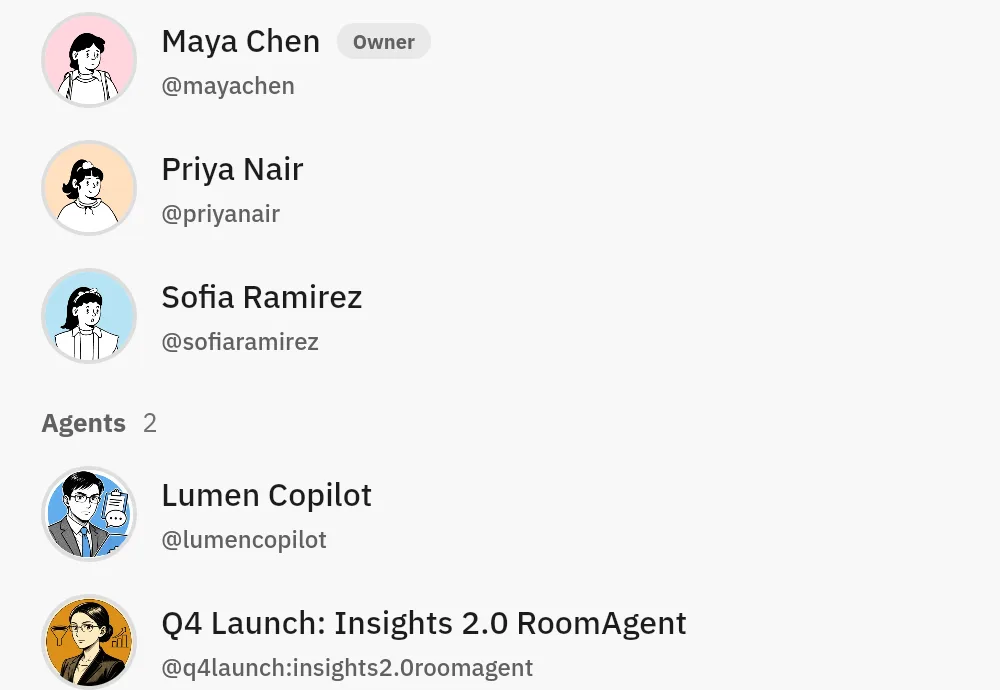
Where do agents work?In the workspace, next to tasks, Docs and Chat (Brain page).In a shared room, as participants you mention. External agents can join through A2A.
What does the AI know?Your ClickUp workspace. You choose between ClickUp’s model, GPT, Claude and Gemini.The room: discussion, files, meeting recaps and a Room Context document.
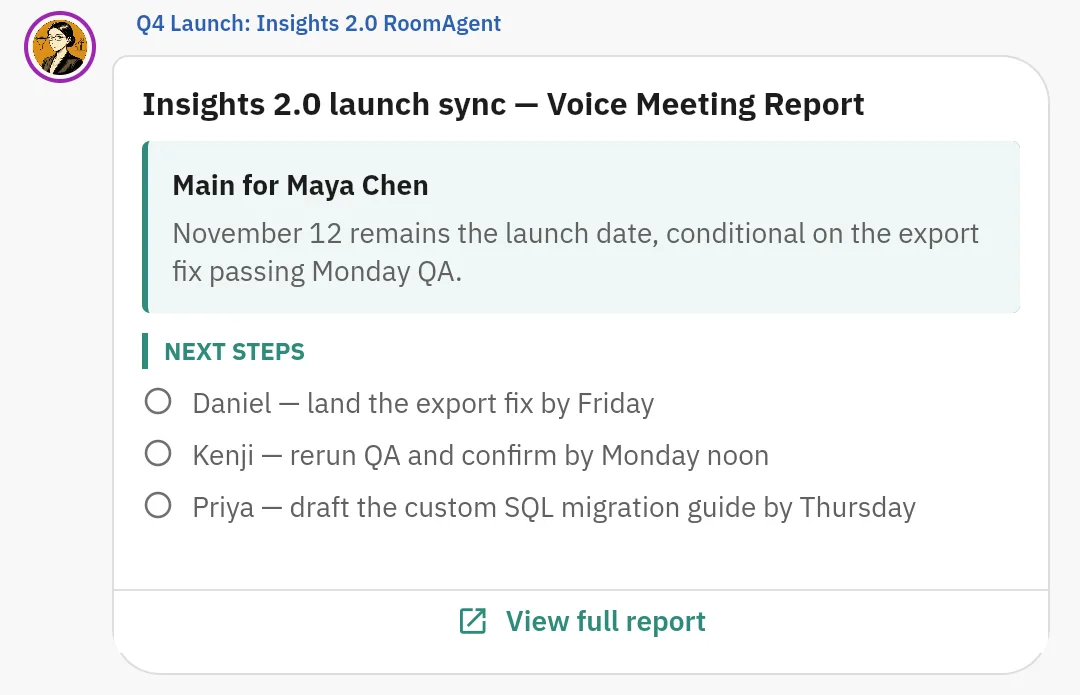
What happens after a meeting?The built-in AI Notetaker spends credits on Free, Core and Business. It is unlimited on Enterprise (fair use) and Max.Meeting Mode records on mobile or web, up to two hours. Roomcord transcribes the recording, and a recap is posted in the room. The recap proposes names and dates, and a person confirms them.
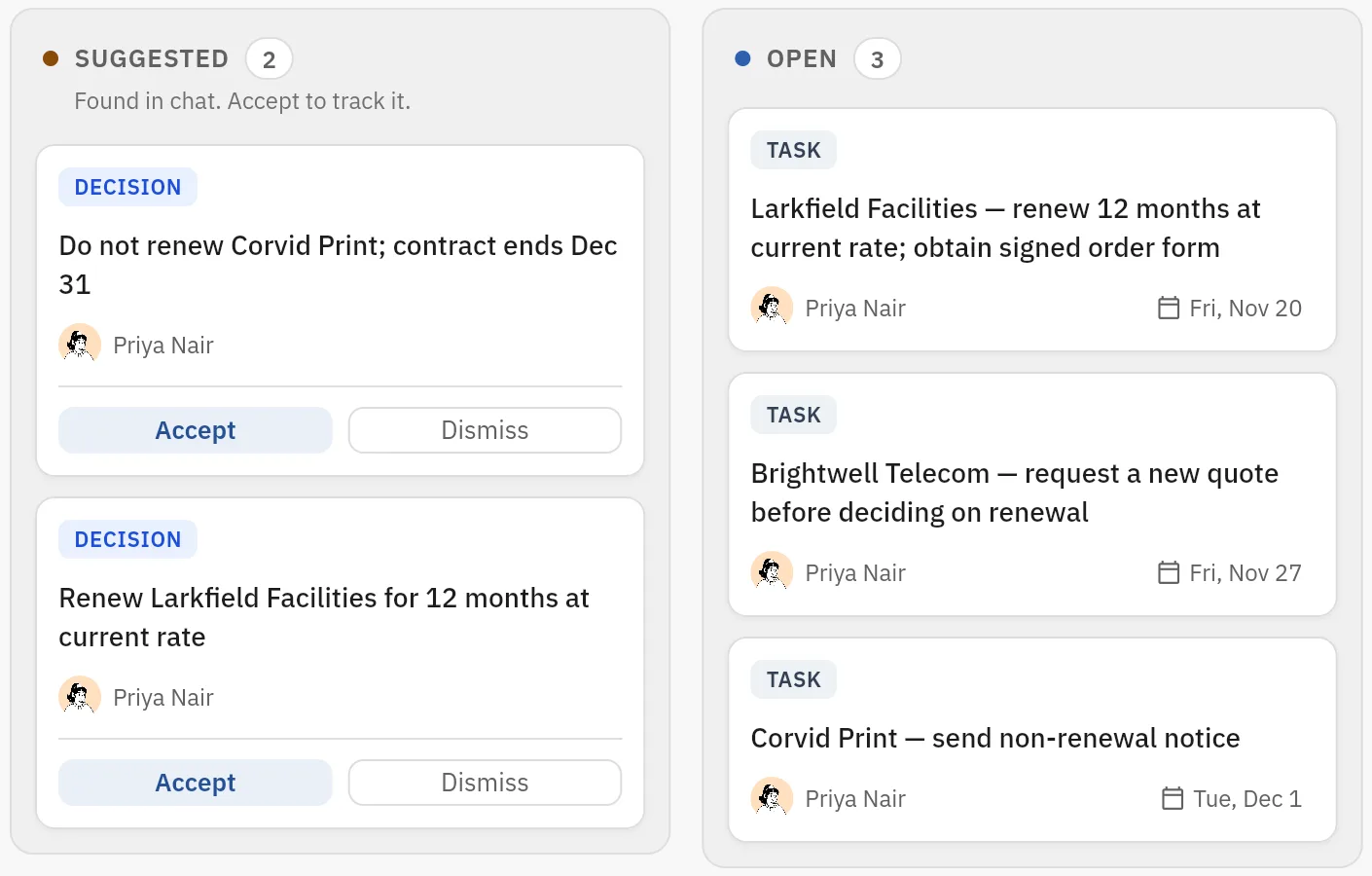
How is work tracked?Tasks, Gantt charts, dashboards and up to 1 million automation actions a month.Roomcord has no task views like ClickUp. The room Board holds decisions and tasks, and suggested cards wait for a person to accept them. Automatic reminders, approval ballots and follow-up are in development.
What are the limits or meters?Pooled credits, $10 per 10,000 extra, and daily MCP call caps from 100 to 25,000 (none on Max). The credit cost of one agent run is not published.No public price list. Usage and overage terms are set in your quote.
Where does it run?ClickUp hosts it. Data residency (US, EU, APAC) and SAML SSO are on Enterprise and Max.Designed for private cloud or data-center infrastructure that the company controls. Placement is agreed per deployment. No compliance certificate is claimed here.

Sources: ClickUp’s pricing and Brain pages. Not an independent benchmark.

The same job in both products

The job: a six-person operations team repeats one chore. Each Monday someone collects supplier updates from chat, files and last week’s call, then writes a status and a list of who chases what. They want AI to do the collecting and drafting.

In ClickUp. If the supplier work already lives in ClickUp tasks, the path is short: a Super Agent works where the tasks are. Brain² is labeled a trial on Core, so plan on Business: $1,224 a year for six people, with 9,000 pooled credits a month.

The agent and the Notetaker both spend from that pool, at a rate the pricing page does not state.

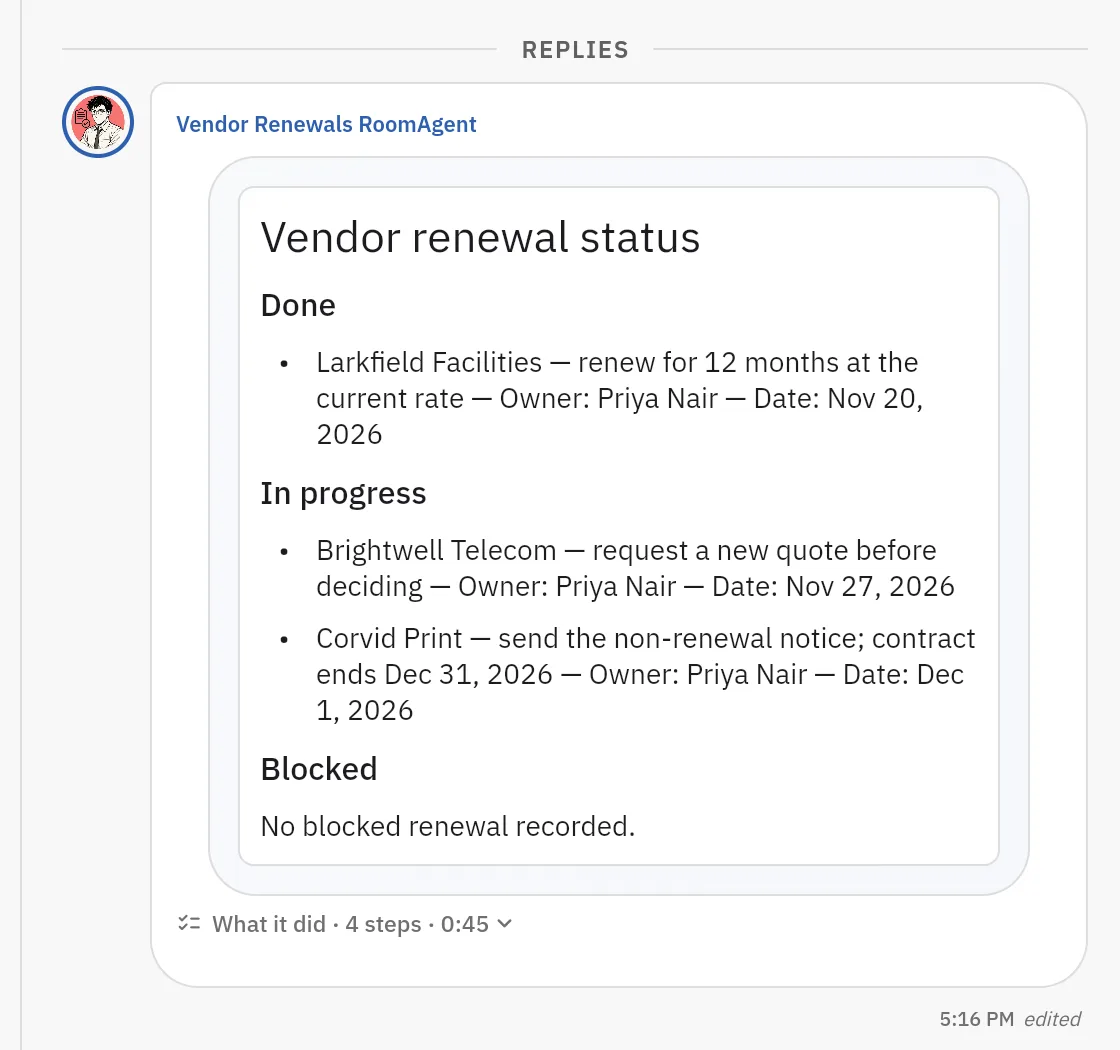
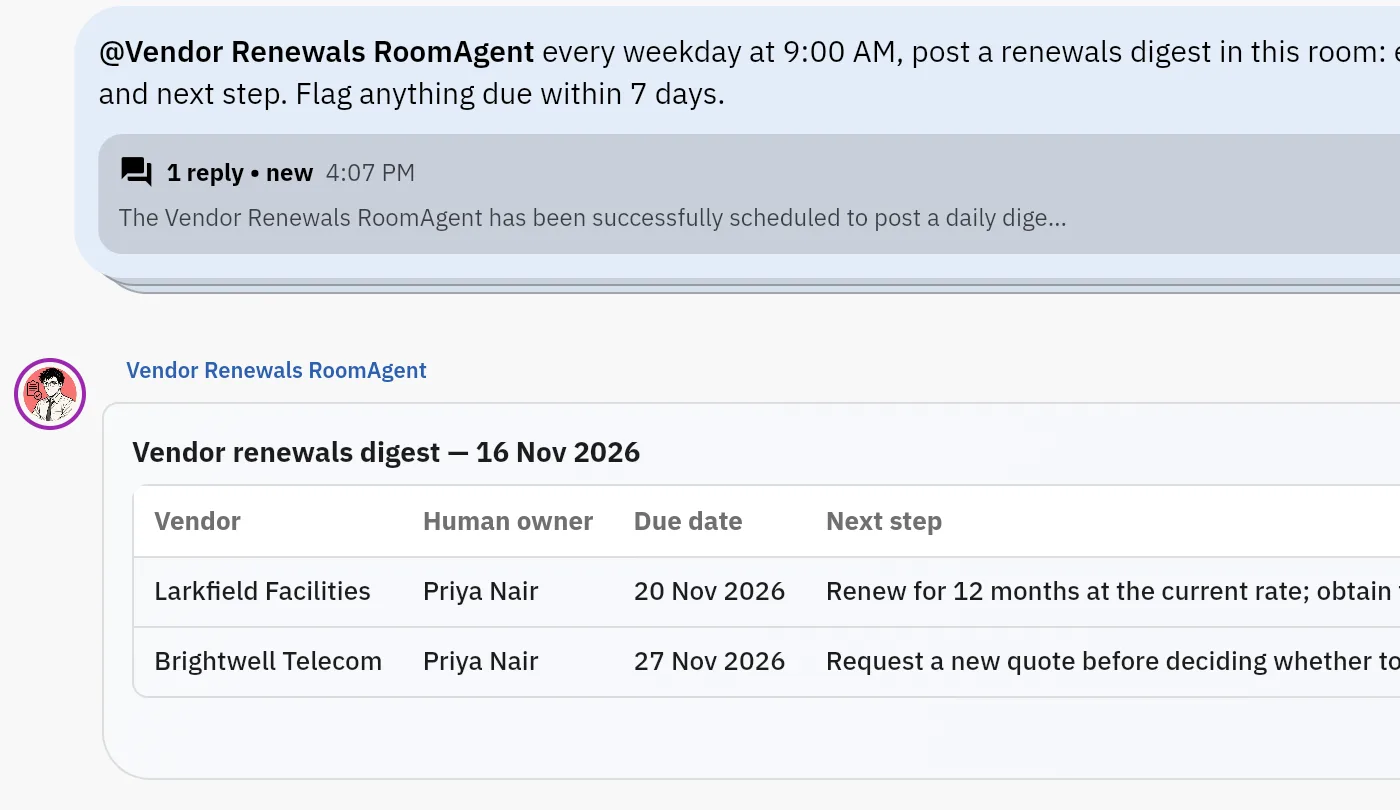
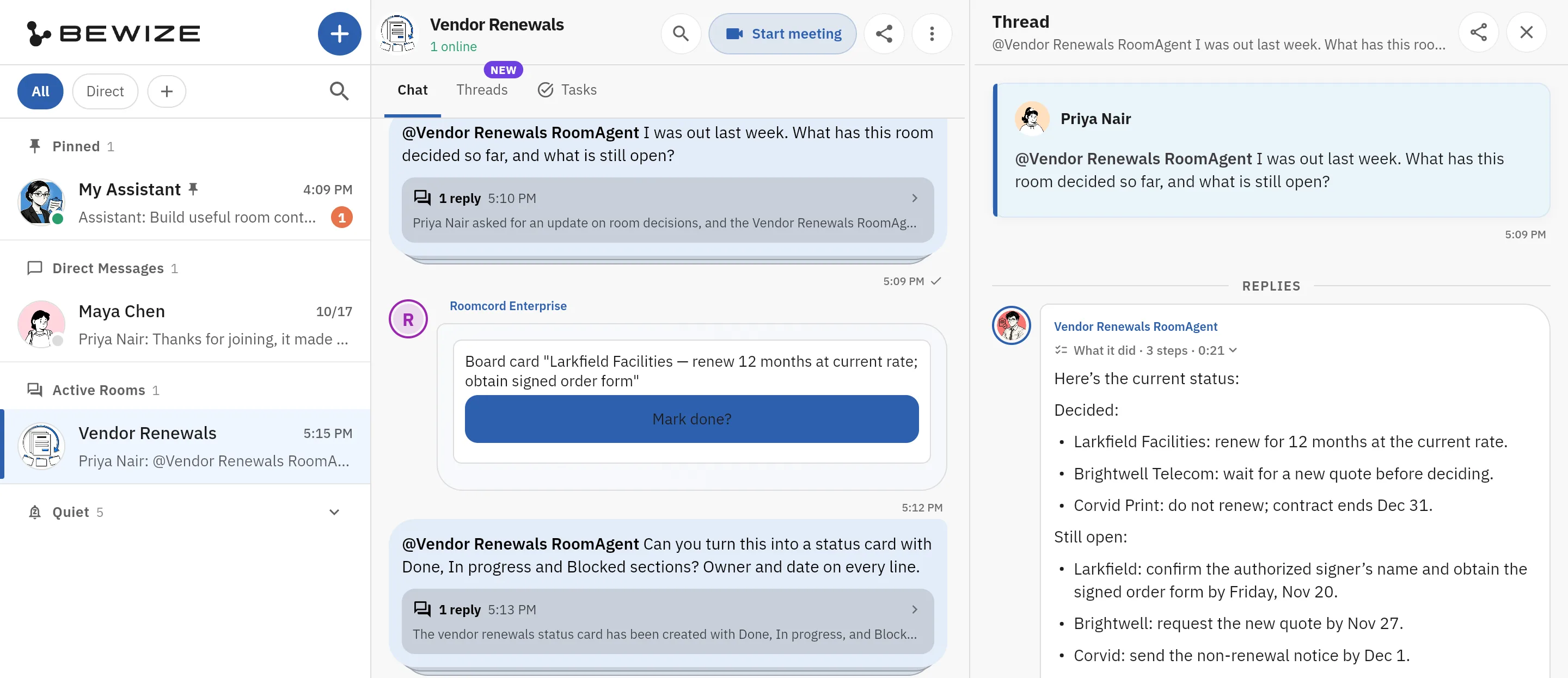
In Roomcord today. The team works in one room. Chat and files are there, and Meeting Mode records the weekly call, with a recap posted in the room. On Monday someone mentions the AI teammate, and it drafts a done, in progress and blocked report from the room. People correct the draft in the same thread.

What is manual: the draft proposes names and dates from the conversation, and a person confirms them and chases them. Automatic tracking, reminders and chasing are in development, and so is email intake.

Where ClickUp is stronger

  • Project management in one product. Tasks, Docs, whiteboards, dashboards, forms and Gantt charts (pricing page). Roomcord has none of these views.
  • A public price and a self-serve start. Start free, or from $9 per user, today. With Roomcord you talk to us first.
  • AI on structured task data, with ClickUp’s model, GPT, Claude and Gemini to choose from (Brain page).
  • Published enterprise options. Data residency, SAML SSO and HIPAA support with a BAA on Enterprise and Max (pricing page). Roomcord publishes no such list.

What Roomcord does not replace

  • Project views. No Gantt, no workload view, no portfolio dashboards. The room Board holds decisions and tasks, and suggested cards wait for a person to accept them. Automatic reminders, approval ballots and follow-up are in development.
  • Docs, whiteboards, forms and no-code automations. Teams can build mini-apps for a room, but that is developer work.
  • Automatic follow-through. A person chases each commitment today. See Roomcord vs Asana.

Run it next to ClickUp first

  1. Pick one recurring workflow: a weekly status, a review or a handoff.
  2. Open one room for it. Add the people who do that work and one AI teammate.
  3. Keep everything else in ClickUp. Migrate nothing.
  4. After three or four cycles, count what the agent got right, what people corrected and what stayed manual.

The cost: a second app for that workflow, and someone copies results into ClickUp by hand. There is no ClickUp integration. The test is a pilot agreed with us after a demo. Roomcord has no self-serve signup.

Leaving ClickUp: what to check first

  • Renewal. Accounts renew automatically by default. Annual plans need notice at least thirty days before renewal to cancel, downgrade or cut seats (ClickUp terms, effective June 27, 2025).
  • Refunds. Fees are non-refundable, except a 30-day guarantee on the initial purchase. It excludes renewals and sales-assisted purchases (same terms).
  • Tasks and Docs. Tasks export as CSV, with attachments as links, not files. Docs export one at a time, and bulk Doc export was not available in August 2026 (Breeze export guide, citing ClickUp’s help center).
  • Access. The terms name no export window after termination. Export before the term ends.
  • Chat and automations. We found no source on exporting them. Ask ClickUp in writing.

Questions people ask about ClickUp and Roomcord

Is ClickUp Brain still a paid add-on?
No. ClickUp removed the $9 Brain AI and $28 Everything AI tiers by November 2, 2026 (PricingSaaS). AI credits now come with every plan.
What is ClickUp Brain pricing now?
There is no separate price. As of November 2026, Core is $9, Business $17 and Max $100 per user per month, billed yearly, with 1,000, 1,500 and 10,000 pooled credits per user. Extra credits cost $10 per 10,000 (pricing page).
Is ClickUp Brain worth it?
Yes, if your work already lives in ClickUp tasks. It is weaker value if you do not need the project suite. Judge it on Business: Brain² is labeled a trial on Core.
Can Roomcord replace ClickUp?
No. Roomcord is not a project management tool and has no task views like ClickUp. It covers the part where a team hands work to AI teammates in a shared room. See the other comparisons for more tools.
How much does Roomcord cost?
Roomcord has no public price list, no free tier and no self-serve signup. Pricing is by quote, after a demo on your own workflow.
What works in Roomcord today?
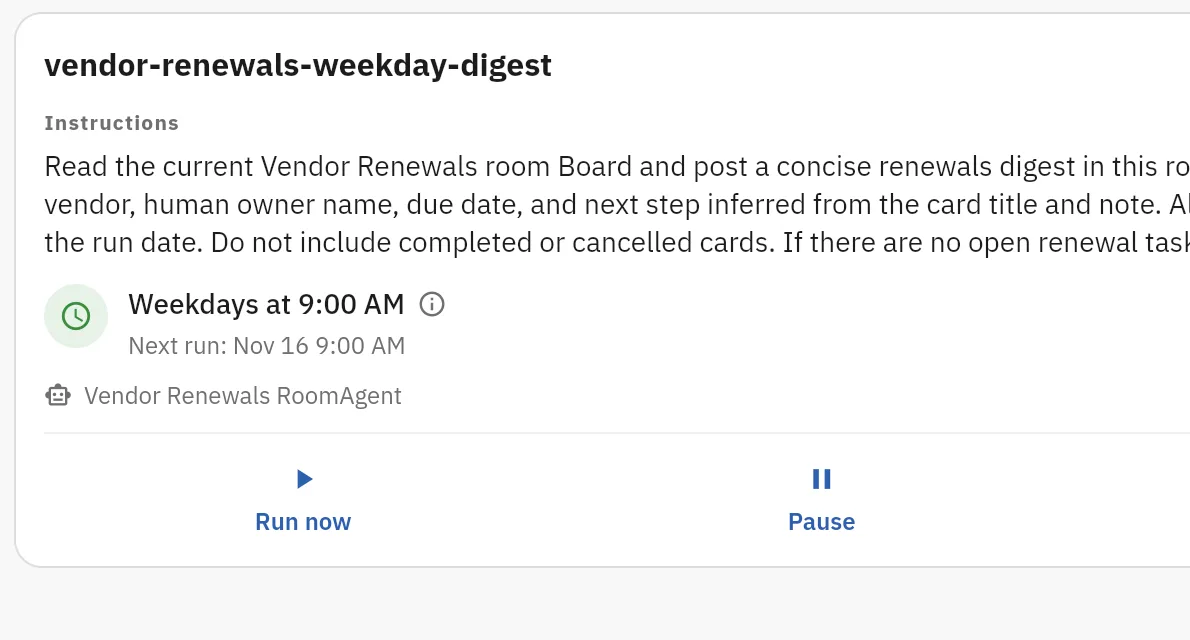
Shared rooms, chat, files, meeting capture with a report, AI teammates that answer in the room, the room Board with suggested cards that a person accepts, scheduled agent jobs, and room access for A2A-compatible external agents. Automatic reminders and follow-up, approval ballots and boss view are in development. Pilot scope is agreed for each team.

Bring one recurring workflow

Pick one piece of work your team repeats each week. We show it in a Roomcord room: what works today, what stays manual, what is in development. Pilot scope and price follow.

+1 332 2081410
[email protected]

Request a demo

Share a little context. Our team will reply by email to arrange the next step.